Showing posts with label Coaching. Show all posts

Friday, February 24, 2023

ChatGPT Can Be A Superpower For Teachers Teaching Writing

The use of AI tools, such as ChatGPT, in education has been met with initial reactions of hesitance and fear that students may cheat and teachers may be replaced by machines. Although these concerns are understandable, employing a growth mindset and innovative, student-centered pedagogy can transform AI tools into a teacher's superpower.

Providing feedback on student writing is an essential part of the teaching and learning process that fosters a growth mindset and a lifelong learning ethic. However, grading a large number of student papers can be time-consuming and overwhelming for teachers. This is where technology can be of great help. With the assistance of ChatGPT, teachers can expedite the process of providing feedback to students on their writing.

ChatGPT is an AI language model developed by OpenAI that can generate text, answer questions, and assist with a variety of tasks. It is capable of producing high-quality responses to a wide range of prompts and can serve as a virtual assistant.

One way that ChatGPT can expedite the process of providing feedback to students is by automating the grading process. This can be done by training ChatGPT on a set of criteria that the teacher uses to evaluate student papers. For example, teachers can ask ChatGPT to identify specific types of errors, such as grammar or spelling mistakes, or to pinpoint areas where students need to improve. The more specific the prompts are, the better ChatGPT works.

The process involves entering the criteria into ChatGPT and pasting the student's writing into the system for analysis. ChatGPT will then provide feedback based on the entered criteria, which can take the form of a summary of the key points, suggestions for improvement, or a score.

Teachers can also use ChatGPT to provide more detailed feedback to students. For instance, they can ask ChatGPT to generate sample sentences that illustrate specific grammatical concepts or provide examples of how to structure a paragraph. ChatGPT can also explain complex concepts that may be difficult for students to understand, thereby helping them learn more quickly and improve their writing skills.

Using products like Google Docs for student writing and platforms like Google Classroom, teachers can use ChatGPT to expedite the feedback process. As students write, teachers can access their work, copy and paste it into ChatGPT, and receive real-time feedback that can be copied and pasted into the commenting functions of Docs and Classroom. Developing a system within Google Classroom that chunks the writing into multiple Assignments can help students better organize and process the feedback before submitting a final draft.

The use of ChatGPT in providing feedback can also be an effective way to build relationships with students. Teachers can review the feedback with students one-on-one or in small groups by pasting some student writing into ChatGPT and asking it to provide bullet point feedback for the students to take back and revise their writing.

Finally, ChatGPT can automate the process of providing feedback to a large number of students by creating a standardized set of comments or feedback that can be used for multiple students. This saves time and ensures that all students receive the same level of feedback. The teacher can then review the feedback provided by ChatGPT and make any necessary adjustments before sharing it with students. ChatGPT-generated comments can be saved in a comments bank for future reference if Google Classroom is used.

It is important to note that using ChatGPT or any AI tool for feedback has limitations. While ChatGPT can expedite the process of providing feedback to students, it is not a substitute for a human teacher. It may not identify all of the nuances of a student’s writing and may not provide personalized feedback tailored to individual student needs. Additionally, ChatGPT's effectiveness is only as good as the data, prompts, and criteria provided by humans.

As I wrap up this blog post, let it be known that I used ChatGPT to give me targeted feedback on each paragraph. I used the feedback to improve the writing, grammar and syntax. ChatGPT is my own personal assistant and proofreader. 

Take a look at the video below showing ChatGPT at work. The example shows a prompt where I asked it to give paragraph by paragraph feedback.

If you would like to bring me to your school for PD, workshops, a keynote, training or a follow-up on this or previous blogposts, click here to schedule an appointment to chat. My book, The Complete EdTech Coach: An Organic Approach to Digital Learning, co-authored with my wife Katherine Goyette is now available on Amazon. Click here to purchase. It is published by Dave Burgess Publishing. Be sure to follow the hashtag #OrganicEdTech and #CVTechTalk for updates.

Tuesday, October 20, 2020

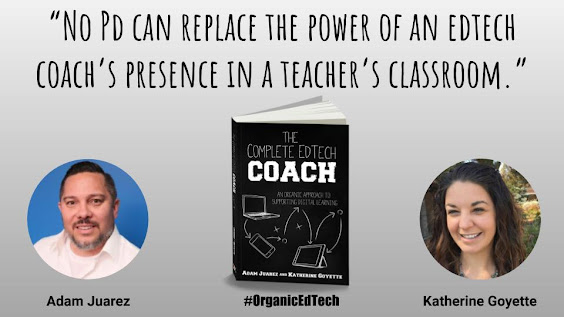
Coaching Trumps PD


Coaches build relationships. PD facilitators train on tools. 


What is your focus? Where do you spend the majority of your time? Is it what or who that is most important?


Though many of our classrooms are virtual in 2020, the reality is the same - edtech coaches are most effective when they are with teachers, providing job-embedded support. Join educators in their video calls, demo lessons for them, celebrate their successes, make connections with their students. When you spend time in classrooms, whether physical or virtual, integration will occur naturally - easily fitting in to the context of each teacher’s learning environment.


Want more support? Keep an eye out for our upcoming book The Complete EdTech Coach: An Organic Approach to Supporting Digital Learning, and in the meantime, visit techcoachjuarez.com and wonderexplorelearn.com for a growing bank of resources designed for you.

Monday, October 19, 2020

Remain True to Your Title: Coach


In the midst of school closures, distance and hybrid learning, and the need to increase technology use in education due to COVID19, edtech coaches across the country are being called upon to create and facilitate PD sessions to train on new tools. While it is vital that teachers feel comfortable with the tech tools they will be using, it is even more important that coaches do not become so focused on PD that they forget their main role - coach.


Tips for Remaining a Coach First & Foremost

  • Follow-Up: After delivering a PD, be sure to speak with the educators you serve. Have conversations. Ask what you can do to support them. 

  • Be Available: Offer open office hours and Q & A sessions. Let teachers know they can drop in to chat about anything education related. Support must extend beyond the PD session itself.


Want more support? Keep an eye out for our upcoming book The Complete EdTech Coach: An Organic Approach to Supporting Digital Learning, and in the meantime, visit techcoachjuarez.com and wonderexplorelearn.com for a growing bank of resources designed for you.

Friday, October 16, 2020

Technology Integration - An Organic Approach


It can be tempting to focus on a particular tech platform, app, or tool for to be used universally across a single school site or district. This can appear to be a way to maximize training time, streamline an approach to integration, and ensure all teachers are on the same page. While it may seem counterintuitive, a grass-roots organic approach, rather than a top-down mandate, fosters greater sustainability and better learning for both educators and students.


Why an organic approach? Why move away from a mandated, one-size fits all approach?

  • We serve people, not initiatives. Just as students come to us with unique strengths and opportunities for growth, so do our teachers. 

  • Decision makers own the work. When we empower educators (and students!) by guiding them toward technology integration options, they are more invested in making it work in their context.


Want more support? Keep an eye out for our upcoming book The Complete EdTech Coach: An Organic Approach to Supporting Digital Learning, and in the meantime, visit techcoachjuarez.com and wonderexplorelearn.com for a growing bank of resources designed for you.

Thursday, October 15, 2020

Leverage Educators’ Strengths


EVERY teacher brings unique life experience that we can draw upon. As an edtech coach you may encounter veteran educators who are hesitant. If they do not feel that you value what they bring to the table, they are less likely to embrace your message. Validate those you serve and offer strategies/tech that builds upon their unique experience.


Consider these questions for educators:

  • In your experience, what has worked well? - For example, if for the past twenty years, a teacher has excelled in facilitating student-to-student academic conversations, we might build upon this strength by offering breakout rooms for video calls and/or Flipgrid for asynchronous discussions. 


Want more support? Keep an eye out for our upcoming book The Complete EdTech Coach: An Organic Approach to Supporting Digital Learning, and in the meantime, visit techcoachjuarez.com and wonderexplorelearn.com for a growing bank of resources designed for you.

Wednesday, October 14, 2020

No Magic Bullet


It is tempting to seek a single strategy, app, or platform to solve the challenges we face in education. If every student was exactly the same, this would work. Similarly, if every teacher was exactly the same, we could coach them in an identical way. But that is not the case. Support must be personalized. You and your students face unique challenges. Those we serve are like fingerprints, no two are identical. What works for one will not necessarily work for another. 


  • Get to Know Those You Serve & Their Context - Visit classrooms, whether they be physical or virtual, to observe teacher strengths to build upon. Our upcoming book devotes an entire chapter to strategies for being a walking coach.

  • Be Tech Agnostic - As a coach, earn certifications and/or gain competency with as many platforms, apps, and strategies as possible. Arm yourself with a full toolbox from which to provide the most appropriate tool to meet each teacher’s specific, unique need.


Want more support? Keep an eye out for our upcoming book The Complete EdTech Coach: An Organic Approach to Supporting Digital Learning, and in the meantime, visit techcoachjuarez.com and wonderexplorelearn.com for a growing bank of resources designed for you.

Tuesday, October 13, 2020

EdTech Coaches Got Your Back


Educators are exhausted. Parents are frustrated with distance and/or hybrid learning. Students struggle with motivation and organizational skills. Countless apps and technological platforms promise solutions, While these realities may feel overwhelming, edtech coaches are here to curate and guide integration. Don’t have an edtech coach in your district? Reach out to one or two on social media! If you are reading this blog, you are off to a great start.


Consider the following when working with an edtech coach:

  • What is your learning goal? - We lead with learning, never with tech. An edtech coach can best meet your needs if they are aware of your context. Who are your students, what content are you teaching, what apps/platforms are you currently using?


Want more support? Keep an eye out for our upcoming book The Complete EdTech Coach: An Organic Approach to Supporting Digital Learning, and in the meantime, visit techcoachjuarez.com and wonderexplorelearn.com for a growing bank of resources designed for you.


Tuesday, October 6, 2020

Coaching at a Distance: 4 Ways My Coaching Has Evolved in Distance Learning

Distance learning has turned our world, education in particular, upside down. My job as an edtech coach looks much different than it did before March 13, 2020. A term that has gone viral since then is "new normal". I am not a fan of that term. I prefer to use the term "new temporary". Much of what we have done in the last six months have been reactionary to the situation. They are temporary changes, but many of these changes will have long lasting effects on how we do our jobs when things go back to "normal". 

Pre-COVID, as an edtech coach, I prided myself on being a "walking coach". To best serve my teachers and students, I walked classrooms daily to observe teachers and students in their natural habitats. On my visits, I left observed and left feedback. Click here to learn more about being a "walking coach" by registering for virtual Fall CUE and checking out my (with my wife Katherine Goyette) edtech coaching sessions.

My observations powered my coaching. Since the shutdown and move to distance learning, my coaching looks markedly different. Many of the adjustments I have made are temporary while others will continue to affect the way I coach. Below are four adjustments I have made in distance learning that aren't temporary. Each adjustment can be synthesized for the needs of admin and other instructional coaches.

Admin Google Classroom

Before the shutdown, administrators and coaches in my district, and across the world, made a habit of visiting classrooms to leave feedback for teachers and see students engaged in learning. COVID has definitely changed how admin and coaches do this. One way my schools have pivoted is by creating an "Admin Classroom" account for the site administrators. 

Early on, teachers shared "co-teacher" rights in their Google Classrooms with admin and coaches. This allowed admin and coaches to pop in on Classrooms to see pedagogy and student work while leaving feedback to students and teachers. Quickly, we realized teachers adding coaches and admin as co-teachers is a logistical nightmare on the part of the admin. Their Google Classrooms and inboxes quickly became overrun with information, assignments and notifications.

To remedy this, I created a separate "Admin Classroom" account for the site admin to share. Teachers added the "Admin Classroom" account as a co-teacher. As teachers added this account, as tech coach, I went in and organized the hundreds of Classrooms alphabetically by teacher last name and class period. The site admin simply login to Chrome as this account and go to Google Classroom when they want to do virtual walkthroughs.

Setting this up for my school sites was a little bit time consuming, but definitely worth it in the end. This just one example of how edtech coaching has evolved in distance learning and elements of this evolution will continue as we transition to a hybrid model and back to face to face.

Blog & Email

Social distancing has made it impossible to meet one on one with teachers they way I used to. Video calls on Google Meet or Zoom are helpful, but not always convenient. Teachers don't always have time to jump on a video call. A more convenient way of getting support and new ideas is to read a coach's blog. 

Since the beginning of distance learning, I have received countless emails for "how-to's" and other ideas to improve student engagement and workflow. As each request for support comes in, I have done my best to write blogs addressing teacher needs. The blog has become a living, evolving resource for teachers to refer to. In addition, I copy and paste each new blog post into an email to teachers. Those who cannot meet during on-call video hours, or find time to go to the blog site, can pick up some support and new ideas in their inbox. 

Below is a screenshot of my Cardinal Innovation Center Blog. This blog houses all the requests, support and new idea blog posts. Teachers can access it at cardinalinnovationcenter.org and in their inbox when a new blog post is published. 


Coach On-Call Video

Due to social distancing regulations, meetings with teachers or groups of teachers have to take place virtually. Before the shutdown, teachers knew when I was available in my learning space to come get face to face, one on one support. Those physical office hours have now gone virtual. In Google Calendar, I scheduled 2-3 blocks of time daily where I am available on Google Meet. All teachers have been invited to the recurring Calendar invites. All they need to do is open their Calendars and click the link on the event. In addition, I schedule emails to go out each morning with a greeting and the Meet link as a reminder for teachers. 

In between classes or on their prep periods, teachers can get some virtual, face to face support. What has made this surprisingly effective is having teachers share their screens with me. This allows me to walk them through, step by step, different tools, apps and strategies. Often times, in person, teachers would ask me to show them on their computer. With screen share, they are the ones doing the work under my coaching and supervision. This seems to be more effective.

Answer with a Screencast

One of my go-to coaching sayings over the years is "answer emails with a screencast". As an edtech coach, many emails I receive are asking how to do something. If I don't have a how-to video already made, I make a quick screencast and reply to the email with the video. Usually, I post the video on YouTube and send the link

In my experience, people don't always want to have to click on a link to be taken to a video. About a year ago, I stumbled on a great Chrome extension by Cloud HQ that allows me to embed YouTube videos in the body of an email. Being able to see the video without leaving the email has led to an increase in teachers viewing my videos.

Below is a step by step guide getting started with Cloud HQ's Embed YouTube Videos in Gmail Chrome extension.

Step 1: In the Chrome Web Store, search for "embed YouTube video Gmail".


Step 2: Click Add to Chrome.


Step 3: Click Add extension


Step 4: Be sure to click the "white puzzle piece" button to pin this extension to your browser. The button appears as a YouTube logo amongst your extensions.


Step 5: When installed, you'll see a "Cloud HQ" logo next to your Help and Settings button in Gmail.


Step 6: When you compose an email, you will see a YouTube button next to the Send button. This is what you click to embed a YouTube video in your message.


Step 7: After clicking the YouTube button on your message, this will pop up. Click the bar that says My videos.


Step 8: From the menu that appears, choose All videos.


Step 9: After clicking All videos, in the bar below, paste the URL/Address of the YouTube video you want to embed. When it appears below, click it.


Step 10: The video will then appear in the message


Step 11: This screenshot shows what it looks like on the recipient's end. All the recipient has to do is click the play button on the video and it will play within the message without having to open a new window and going to YouTube.


If you have any questions and would like a follow up, contact me via Gmail or Hangouts at ajuarez@techcoachjuarez.com. If you would like to unsubscribe from this blog, go to bit.ly/tcjinbox.


My book, The Complete EdTech Coach: An Organic Approach to Digital Learning, co-authored with my wife Katherine Goyette is due out in October/November of 2020. It will be published by Dave Burgess Publishing. Keep an eye out on this blog and on social media. Be sure to follow the hashtag #OrganicEdTech and #CVTechTalk for updates.

Tuesday, September 22, 2020

A Couple of Ideas for EdTech Coaches to Track Coaching Interactions

As an edtech coach, it is vital to track your teacher and student interactions. Administrators love data and want data to support their investment in your edtech coach position. In our upcoming book, The Complete EdTech Coach: An Organic Approach to Digital Learning, my co-author and wife, Katherine Goyette and I, discuss ways to measure your effectiveness and impact as an edtech coach. We recommend using the 4 C's for this. We like to say, "if you plan with the 4 C's in mind, the tech will take care of itself". The wisdom is that if administrators observe students engaged in the 4 C's, you've effectively integrated technology.

Edtech coaches wear many hats. Where the 4 C's measure the effectiveness of edtech coaching and integration, hard data for your everyday coaching interactions are also important. Take a look below at the Google Form I use to track all of my coaching duties from meeting with teachers, walking classrooms, providing feedback and training students, quasi-IT duties and more.

The first "question" is where I choose the school site of the teacher or student I am supporting. Depending on the choice, it will take me to a list of teachers for that school site. 

After selecting the school site, I select the name of the teacher or select "Student". If "Student" is selected, when I get to the summary at the end of the form, I add the student's name there.

After selecting the teacher name or "Student", the form takes me to a Checkbox question of a variety of "services" provided. 


When finished "checkboxing" services provided, the form takes me to a question to select the date and add a summary of the interaction. Here is where I provide the details of the coaching interaction.


There are a myriad of ways edtech coaches can track their interactions and measure effectiveness. One option I encourage you to take a look at comes from fellow Google Certified Innovator Suzana Somers. She has created a great tool called connecthub.io. It is a platform designed to help instructional coaches save time and better visualize the impact of their coaching. Click here to check it out. Whether you create a Google Form or use a tool like connecthub.io, find or create a tool that works for you. If you're a classroom teacher or administrator, I encourage you to reflect on the ideas presented in this post and think of ways to adapt them toward your role.

If you have any questions and would like a follow up, contact me via Gmail or Hangouts at ajuarez@techcoachjuarez.com. If you would like to unsubscribe from this blog, go to bit.ly/tcjinbox. Our book, The Complete EdTech Coach: An Organic Approach to Digital Learning is due out in October/November of 2020, published by Dave Burgess Publishing. Keep an eye out on this blog and on social media. Be sure to follow the hashtag #OrganicEdTech, #DBCIncBooks and #CVTechTalk for updates.