Wednesday, June 12, 2019

Black Panther Style Tech Coaching Vol. 2


Marvel's Black Panther movie got me "EDUthinking" so much I had to write a second Black Panther Style Tech Coaching blog post.

In the previous Black Panther Style Tech Coaching post, I talked about how the fictional nation of Wakanda was blessed with a mineral called vibranium. Vibranium, in the world of Marvel, is the strongest metal on earth and extremely versatile. Vibranium was naturally infused into the plant life of Wakanda and it allowed the Wakandan people to develop an extremely technologically advanced society. Their technology is far more advanced than any current nation.

Infusion of vibranium into Wakandan landscape

Previously, I focused on how tech coaching should be infused into lesson design the way vibranium was infused into Wakandan technology, plant life and culture. This post has a different focus. This time, the focus is on sharing of ideas, strategies and student work.

In Black Panther, the main villain, Eric Killmonger, was a lost son of Wakanda. Eric grew up in America knowing of Wakanda's technological prowess. Throughout his life, this bugged Eric. He was angered about Wakanda keeping all their advances to themselves. He wondered why they wouldn't share their knowledge with the entire planet. He sought to use Wakandan technology to bring justice to the oppressed.

Image result for erik killmonger


Eric Killmonger's character arc is a great metaphor for tech coaching and education. Nowadays, we hear people talking about the dangers of "teaching in silos". No longer can we teach our content and hide it within the four walls of the classroom. You cannot attend an edtech conference or event without hearing of the virtues of sharing your expertise and growing a personal learning network (PLN). It is imperative for tech coaches to help facilitate the breaking down of classroom walls. We the tech coaches must help teachers integrate technology with the 4 C's so students create content that screams to be shared across the curriculum, the school, the district and world.

Image result for teaching in silos

Killmonger has a great point. Wakanda's technology is far more advanced than any nation on earth. In the movie, they displayed the ability to repair spinal injuries very quickly. They developed transportation systems that travel at immense speed without all the pollution. Those are things that should be shared worldwide to benefit of mankind. Granted, Killmonger did want to use Wakandan weapons to exact a revengeful idea of justice for the oppressed, but he was correct about Wakanda being wrong to horde their knowledge.

If you are doing amazing things with students, and the students are producing great content, don't be like Wakanda (I can't believe I just said that because I catch myself saying "Wakanda Forever" all the time). Share those things beyond your classroom. Start with your department and expand to your site. Continue sharing to your entire district. Join education Twitter Chats and Facebook Groups and continue sharing.

My philosophy on this is rooted in a lesson I learned, in college, about adolescent development. For some reason, I never forgot learning about how adolescents go through a stage where they think they are always on stage. In their minds, someone is always watching. According to Harriet Osborne, adolescent egocentrism sheds light on why they think they are the focus on everyone's attention. This reminds me of why people dress up for special occasions and parties. It's because people are watching. We want to show our best. That being said, it's my belief that students will try harder if they know people are watching. It's human nature.

Let's flip the Wakandan script. Like Wakanda, let's innovate and create. But unlike Wakanda, share it with a wider world. Give your students and ideas an authentic audience. This audience will not only be impressed, but it will provide valuable feedback. In this, you will grow as an educator and your students will become powerful communicators and better creators of content. For the Marvel fans out there, MCU in particular, imagine the innovation Tony Stark would have come up with had he had access to Wakandan technology.



Monday, June 3, 2019

Black Panther Style Tech Coaching


In 2018, Marvel's Black Panther took the world by storm. It easily went down as one of the most successful box office draws of all time. One part of the movie got me really "EDUthinking". In the movie, the fictional nation of Wakanda was blessed with a mineral called vibranium. Vibranium, in the world of Marvel, is the strongest metal on earth and extremely versatile. Vibranium was naturally infused into the plant life of Wakanda and it allowed the Wakandan people to develop an extremely technologically advanced society. Their technology is far more advanced than any current nation.

Infusion of vibranium into Wakandan landscape

What really struck me was the how vibranium was infused and integrated within all of Wakanda's technology, clothing and lifestyle. It was not an extra thing. It was part of their lives and culture. This is a great metaphor for proper edtech integration. Too often, tech coaches are met with resistance from teachers and admin because edtech is seen as an extra thing on their plates. It is seen as something separate from pedagogy and lesson design. Edtech is often something on an administrator's checklist when they evaluate educators. They look for surface level usage of a device and check the box.

This view of edtech is not edtech integration. Edtech, to maximize effectiveness, must be infused and integrated the way vibranium was infused into the lives, culture, clothing and technology of Wakanda. When planning learning experiences (I'm not a fan of the term lesson planning), edtech can be infused, like vibranium, by designing with the 4 C's in mind. My colleague, and wife, Katherine Goyette always says "If you plan with the 4 C's in mind, the tech will take care of itself. Lead with learning, never with tech".

Plan your learning target and see how the 4 C's will help meet that target. It is here where the tech will take care of itself. It is here where you have the true value of having a tech coach. Tech coaches will provide the guidance and resources to help you address the 4 C's. Seeing the learning target through the lens of the 4 C's allows for organic, meaningful tech integration. It is this process that will allow you to integrate and infuse edtech the way vibranium was in Wakanda.

This approach helped me tremendously as a tech coach. A middle school ELA/History teacher I coached came to me struggling to get students to write an essay about how the Constitution helped defend against tyranny. This essay was based on analysis of primary sources from the DBQ Project. The teacher said students in years past struggled with analysis because they could not fully comprehend the meaning of tyranny.

As I coached her, we focused on the critical thinking portion of the 4 C's. We discussed ways to get students to use critical thinking to develop their own examples of tyranny. We looked for ways to get students to make a real life to content connection to create deeper understanding of tyranny. We knew this was essential in order to get students to analyze the primary sources and write the essay.

In this local ABC affiliate feature, you will see part
of the coaching session mentioned below

It was in this conversation where we decided to use YouTube to show kids cartoon examples of tyranny. From there, they collaborated, communicated and created by researching their own YouTube examples of tyranny, discussed it and wrote rationales about why their chosen videos were examples of tyranny. A few weeks later, I followed up with this teacher and she was beaming with excitement on how much improved their essays were coming along compared to years past. Their essays and analysis showed much more clear understanding of tyranny. This improvement came from the 4 C's coaching approach and allowed the edtech integration to be organically infused like Wakandan vibranium.


Monday, May 6, 2019

Get Started with Podcasting in the Classroom

Image result for podcasting

In education these days, podcasting is a huge fad. Some awesome members of my PLN host podcasts and have had me on as a guest. Using podcasts in the classroom is an idea that has intrigued me, but I have struggled find ways to implement it. Just the other day, it hit me. Podcasting is a great way to up my spiral review game.

Spiral review is a concept that is championed by my district. With that in mind, I have been looking for innovative ways to spice up spiral review. As I continue to hone my blended learning craft, podcasting is a natural fit. As students work in class, those who are “ahead of schedule” can earn extra points by joining the podcast. During the podcast, I ask spiral review questions. It gives students opportunities to reflect on and review notes from previous lessons and activities. Students who may not be ready to podcast in class, but are motivating to learn and earn extra points towards their grades, can come at lunch or after school to join the podcast.


Podcasting kills many "EDU birds" with one stone. Not only does it enhance blended learning and address spiral review, it also hits an important district initiative of developing students as powerful communicators. Knowing I am going to publish their ideas and voice is empowering for students. When working with English learners, podcasting helps improve listening and speaking. Some podcast episodes may take several takes before being published. This helps build resiliency and a growth mindset. The reps and iterations help students learn not to fear mistakes, but embrace them as learning opportunities.
Image result for spreaker
If you’re looking for a quick and easy way to begin implementing podcasting in your class, start by using it as a method of spiral review. Below are the steps I’ve taken in building a class podcast.

- Find a podcast platform/software: I use Spreaker. The free version allows for up to 15 minute episodes. The episodes are easily shareable as links and it is rather simple to connect your Spreaker podcast to other platforms such as Spotify, Apple or Google.

- Mac/PC: The Spreaker software is a free download.

- Chrome OS: If you’re Chromebook has the Play Store enabled, download the free Spreaker Studio App.

- Find a decent microphone: For less than $100, Blue has a variety of options. The Blue Snowball is usually in the $50 range and available at Amazon or Best Buy. I currently use the Blue Yeti Nano.

- Find Podcast Content: Simply look back at previous lessons and activities you’d like students to talk about. Put students in charge of finding content that extends learning.


Friday, May 3, 2019

Pokemon Cards, Feedback and Blended Learning Model


Image result for lead with learning never with tech

My wife, and fellow EdTech Coach, Katherine always says “Lead with learning, never with tech”. You may find it strange to hear us say something like that considering our job titles. Just because we are tech coaches does not mean we believe tech should be used for absolutely every aspect of lesson design. An approach I am rather fond of is a blended learning approach. In a nutshell, blended learning deals with delivering instruction and students submitting work in both electronic and paper/pencil/physical manner.

When I teach history, my lessons are screencasted and published to YouTube. My screencasting program of choice is Screencastify. You can get Screencastify for free in the Chrome Web Store. The free version allows you up to 50 screencasts per month at a maximum of 10 minutes per video. The paid version gives you unlimited screencasts and time per video. Students access the lessons from YouTube via Google Classroom. This gives them a “pause button on the teacher”. It allows them to go at their own pace. As they navigate the lesson, they take notes with pencil and paper, sometimes with a graphic organizer. On some occasions, students will use Dualless Chrome extension to split their screens so they can watch the video lesson and take notes digitally on Google Docs or Google Keep. For reflective purposes, students will take their digital notes and transform them into sketchnotes. The sketchnotes are used for projects and turned in for points.

When students receive their “lessons” pre-recorded, it is imperative that the teacher does not simply sit back and let the kids go completely unguided on their own. Delivering a lesson in this manner helps teachers become more of a “guide on the side” than a “sage on the stage”. How do you become a “guide on the side”? Create a feedback loop. Teach your kids to ask for feedback, clarification and help. Teach them to ask “the expert in the room”, you the teacher.


Nowadays, students are afraid to be wrong and often simply want to go through the motions just so they can say they completed an assignment or task. I have encountered many kids who shut down and give up when receiving feedback and having to tweak or re-do work. A feedback loop is good way to get around these hang ups. Kids need to know that learning is a process. This process includes trial and error. When kids play games and video games, they embrace the concept of trial and error. As I’ve attempted to find ways to foster a strong feedback loop, I found inspiration in Pokemon cards. In my younger years, I never played Pokemon or collected the cards, but saw people who did. I was a baseball card guy. A popular Pokemon catchphrase was “Gotta catch ‘em all”. People worked hard to collect the cards so they could improve their gameplay. Collecting Pokemon cards, like baseball cards, was fun and motivating.


To create a robust feedback loop when delivering pre-recorded lessons, I created feedback tokens. Students earn feedback tokens when they elicit teacher feedback. I distribute them to students when they ask for clarification and when they have me check their work/progress. These one on one meetings often lead to organic conversations that allow me to go deeper in my explanation of history. Kids ask follow up questions and the teacher-student relationship is taken to a new level. Kids sitting nearby see these conversations and are encouraged to do the same. Those nearby students often listen in and join in, further deepening the experience.

Depending on the task, a target number of feedback loop interactions are set for a class period. They receive an “A for the day” for participation if they meet that number. However many tokens they earn beyond the target number is extra credit. Immediately, engagement and feedback increased. The quality of work is improving as I catch mistakes, misconceptions and other errors while students go through the process of learning. Before, many dreaded it when I found mistakes and just wanted to finish. Now, they see the value of mistakes and how it helps their learning and the quality of their work.


The feedback loop, and tokens, has helped me strengthen some relationships with students and cultivate others. Organic conversations arise which give me insight into their thoughts and likes. I use this data to develop lessons that take into consideration what they like. If you’re looking for a way to boost your feedback loop in a blended learning model, give the feedback tokens a try. Click here to use my Feedback Tokens Google Drawing as a template.

Thursday, May 2, 2019

Upgrade Your Google Slides Image Game


Image result for chromebook png

One of my district's graduate outcomes is for students to become powerful communicators. A common way in which students are taught to communicate is by delivering in-class or screencasted slides presentations with presentation software. In my district, our software/program of choice is Google Slides.

A common occurrence when students create slides is that they put tons of text on each slide and read it to the audience. Good presentations do not happen when students read a bunch of text to an audience. As tech coach, I coach teachers to encourage students to create slides that are more image heavy where student presenters can tell a story about the images on the slide. Instead of staring at the screen, image heavy slides make it conducive for kids to use the images as reminders. They can glance and point to the screen to remember what they are going to say. This allows them to have more of a connection to the audience. Any time you have kids search the web for images, students must be made aware of copyright and learn to use creative commons and other types of legally allowed images.

To this end, student presentation slides design must change. Finding the right images is not always as easy as simply Googling it. Sometimes, kids may come across an image they copy and pasted from a Google search, but only want a portion of it. To get the part they need, kids can use the Crop Image function by right clicking (two fingers simulaneously) on the image. 


Another way for kids to up their image game in Google Slides is to use the Chromebook's built in screenshot function. Often times, kids may come across a webpage that has an image that may fit their presentation. The built in screenshot function may come in handy to this end. To do so, simultaneously hold Control (CTRL) and "the square button above 5 or 6 that looks like a rectangle with two lines" button. If you want a region of the webpage instead of the entire page, hold down Shift in addition to the keyboard shortcut command for the entire screenshot. 


Whether you choose to screenshot the entire page or just a region, on a Chromebook, the image will be saved automatically to your Files folder. Immediately after the screenshot, in the bottom right corner, above the notifications tray, a pop up will show a preview of the image with an option to Copy to Clipboard. This is very helpful because it makes adding the image to the slide easier. Click the Copy To Clipboard option and you can quickly paste it on the slide. Otherwise, you will have to use the Insert Image > Upload from Computer function to get the image to the slide. This isn't difficult, but it is two extra steps that can be circumvented. 

One of my favorite ways to jazz up a slides presentation is to insert images of people with transparent background. One way to do this is to use remove.bg. Remove.bg is a relatively new website that allows you to upload an image that contains a person and it removes the background to create a transparent background image or png. With the background removed, you can "insert" people into different scenes or backgrounds. Transparent background images of people on the slides coupled with speech or thought bubbles are great way to spice up a presentation. 


There are quite a few ways to jazz up slides presentations. The ideas mentioned in this blog post are just the tip of the iceberg, but they are some of my go-to ideas. I encourage you to use these as a jumping off point as you develop your own ideas and best practices for helping kids upgrade your Google Slides Image game.

Friday, February 15, 2019

Google Assistant, Feedback and My Autistic 5 Year Old


 Image result for google assistant logo png

Meet Andrina. At five years old, she's the youngest of my three daughters. Her sisters Ashleigh and Arielle are ages seven and six respectively. Andrina has a mild form of autism that has made it difficult for her to communicate verbally. Since she was diagnosed, we have looked for ways to help improve her verbal skills. Andrina's school has been a tremendous help. Her sisters and stepbrother are very patient and understanding.


To our astonishment, an impulse purchase has dramatically helped Andrina improve verbal communication and articulation of words. This past summer, the Lenovo Smart Display with Google Assistant was released. As a Google Certified Educator, Trainer and Innovator, naturally, I was chomping at the bit to get this new Googley gadget.

It was a great addition to our home. With the exception of the living room, each room of the house, garage included, already had a Google Home Mini. The Lenovo Smart Display filled the void in the living room. With every room now equipped with a Google Assistant enabled device, the broadcast function made it easy and fun to communicate with the entire family throughout the house. Anywhere in the house, conveniently, we could say "Ok Google" to get answers to questions, play music or play videos on the nearest TV.

Observing all of our conversations with Google Assistant, the whole time, was little Andrina. She soaked it all in like a sponge. Andrina is an avid fan of Peppa Pig and the YouTube Channel Super Simple Learning. I became excited when she began to verbally asking her sisters, stepbrother, stepmother and I to put her favorite videos and cartoons on the TV. To accommodate her request, we would speak to the nearest Google Home speaker and tell it to play the requested video or channel on YouTube on the nearest Chromecast enabled TV.

After months of observing this behavior, Andrina began trying to do it herself. At first, her requests to Google were denied as she wasn't able to properly articulate the commands. Undaunted, she kept trying and trying to get Google to play her favorite songs and videos. Every once in a while, her requested songs would play on the speaker. The look of accomplishment on her face was priceless.

Getting her favorite videos to play on the nearest Chromecast enabled TVs were a different story. To accomplish this, the verbal commands are more complicated. For her favorite song, all she had to do was simply say "Ok Google, play We Will Rock You" and it played. For the videos, she would have to say the name of the video, the service and the name of the Chromecast enabled TV she wanted to view it on. For example, to request a Peppa Pig video, she has to say "Ok Google, play Peppa Pig on YouTube on Girls Room TV."  Initially, her inability to articulate that entire command prevented her from requesting videos like the rest of us in the house.

One Saturday afternoon this fall, I saw Andrina's door was closed. I went to go check on her and when I opened the door, she was watching and singing along to "Hickory Dickory Dock" by Super Simple Learning on YouTube. Her sisters were playing outside and her stepbrother wasn't there to command YouTube to play that video. She'd done it herself.

With Andrina's newfound sense of accomplishment, she figured out the Lenovo Smart Display was easier to command. She learned, with this device, she no longer had to tell Google which TV to stream the video to. The device could play the video right there on the display. Knowing this, the first thing Andrina does upon coming home is sprint to the display and command it to play the songs and videos she loves.

The beauty of this story, for me as an educator, is how Andrina used formative feedback from Google Assistant. Every time she didn't properly articulate her command, Google Assistant would respond by saying it didn't understand. This forced Andrina to resiliently repeat herself until she articulated the command so Google Assistant could comprehend it.

Andrina's improved articulation has helped lessen her frustration as she previously struggled to communicate her wants, needs, feelings and emotions. No longer does Andrina struggle letting us know what she wants. Her teachers have seen the improvement as well, and it's very likely she will be full-time mainstreamed next year.

This story speaks to the power of authentic, formative feedback. Formative assessment should not be something you put in a school data system to be analyzed days later. True formative assessment happens on the spot and guides your next steps within a lesson whether it's whole class, small group or individual. For me, the best formative assessment looks like the feedback a coach gives an athlete in training or during a game. In my house, Google Assistant was the coach and Andrina was the athlete. The feedback she received was on the spot and immediate. Her next actions and step were directly influenced by that feedback. Imagine if the same was done in our classrooms.


Thursday, August 23, 2018

#AlwaysInBeta: True Colors Through The YouTube Eyes of High Schoolers


With my mother on her birthday
True Colors is a way to understand personality. It is something I have grown up with. My mother was a certified True Colors trainer and used it to help adults better understand their co-workers, families and friends. Needless to say, I notice people's True Colors wherever I go.

In a nutshell, True Colors works like this. There are four parts to everyone's personality. Each part is assigned a color. Green is your intellectual side. When you're being Green, you like to be alone to think, solve problems, question things and be creative. Blue is your emotional side. When you're being Blue, you're in touch with your feelings and act based on emotions. Blue is also the thoughtful, caring side of your personality.

Orange is your risk-taking side. You're being Orange when you are not afraid to make mistakes and learn from them. Orange is when you are having a good time, letting loose and not following a plan. Gold is your organized, responsible side. You're being Gold when you are following rules and plans, and not resting until the work is finished. Gold is when you're taking pride and concerned with your appearance.

Throughout my career as an educator, I have always looked for ways to get students to better create real-life to content connections. The parts of our personalities according to True Colors are universal to all people. This means students, regardless of background, can begin to see themselves in content. They can begin to see themes and patterns among their unique life experience and what they are learning.

This school year, I have resolved to use True Colors as a lens for students to examine events and people in US and World History. To start the year, I've given my 10th and 11th graders a crash course in True Colors. To help them better connect with and understand it, while giving me an idea of their understanding, I had students submit YouTube videos they believe are examples of each color. In addition, they had to write a short rationale explaining why.

The links below show a variety of videos my students believe are examples of each color. Feel free to use these videos to learn about True Colors and help your students and staff begin to learn as well. These videos and rationales are True Colors Through The YouTube Eyes of High Schoolers.

Blue  Gold  Green  Orange

Click here to see some student-generated True Colors Sketchnotes.


Monday, June 4, 2018

#AlwaysInBeta: The Many Faces of Sketchnotes


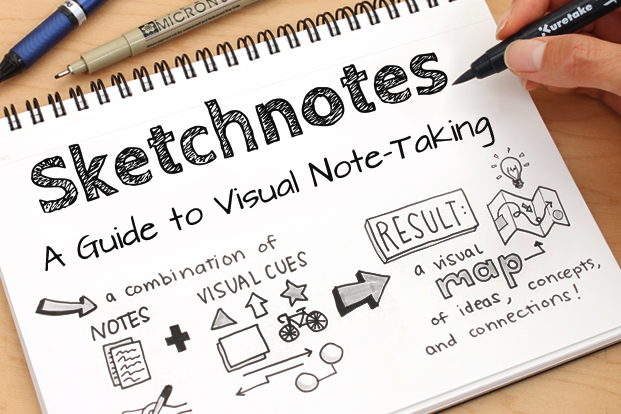
Sketchnotes have become quite the rage among educators. Sylvia Duckworth's Sketchnotes for Educators and Cate Tolnai's #sketch50 movement have gone a long way in getting educators on the sketchnotes bandwagon. I, for one, have drunk the sketchnotes Kool Aid.

Working with students and sketchnoting, I discovered sketchnotes to be a bit of a EDU Swiss Army Knife. Sketchnotes encourage students to make notes, not take notes. When I say take notes, I am referring to students copying factoids from a presentation, article or textbook. By making student thinking visual, creativity is injected into the "note making" process. With that in mind, I discovered that sketchnotes can be a form of assessment.

Many times this school year, quizzes consisted a blank piece of white paper, pencil, black marker, colored pencils and a prompt. As a teacher, these were much more enjoyable to grade, not to mention easier on the eye. Sketchnotes have permeated our school's push for Focused Note Taking, the next iteration of Cornell Notes. Sketchnotes have become one of the many options student may choose when making Focused Notes. 

 
Academic Conversations have become a huge push in our district. While working with innovative High School Science teacher Dana Jobe, we devised a way to use sketchnotes as a launchpad for Academic Conversations. Dana has her students view sketchnotes on cardnalinnovationcenter.org and, in partners, students have to explain the symbolism for 90 seconds to a partner who has to probe and prompt to make sure they speak for the whole 90 seconds. In addition, Dana and I also began using sketchnotes in concert with Flipgrid as a method of review. Students take their sketchnotes and verbally summarize the symbolism used on Flipgrid. 

Students, organically, have developed some patterns creating sketchnotes. In doing so, they  used sketchnotes to hand draw their own graphic organizers.  These organic graphic organizers are based on "main ideas" students see within the topic. One pattern I have noticed, I like to call "Pinwheel" style. In this style, students write the title or topic in the middle and circle it. From there, based on the amount of "main ideas", they draw lines radiating outward creating a space for each "main idea".  Each "main idea" is then color coded and shaded. 

Another sketchnotes-graphic organizer pattern, popular among students, I like to call "Jigsaw" style. Students begin by writing and boxing their title at the top, middle of the page. From there, they draw jigsaw puzzle style lines to create spaces to sketch the main ideas. Each piece of the jigsaw puzzle is color coded and shaded a different color. 


A number of students have developed a, what I call, "Comic Book" style. For this pattern, students write and box their title in the top left corner. From there, based on "main ideas", they draw boxes like a comic strip in which they will sketch each main idea. This is best use when sketching a process, series of events or flow chart. Each box in the comic strip is color coded and shaded a different color. 

One of my favorite student-generated sketchnote-graphic organizers is what I like to call "Rainbow" style. Students draw a line in the top left corner creating a triangle in which to write their title. From there, they draw lines diagonally across the paper, parallel to the first line creating a rainbow stripe pattern across the paper. Like the other patterns, each stripe is shaded and color coded. This is useful for topics that have a lot of information to convey and symbolize. 


Friday, May 25, 2018

Hashtagging the Cold War Flashpoints


"Hashtagged Learning" has been a strategy I have slowly been developing this school year. The idea was born out of my love for The Tonight Show with Jimmy Fallon. The way he uses hashtags to get the worldwide audience to participate has always intrigued me. Enjoying that segment, I have looked for ways to adapt it to teaching.

In a nutshell, my students take notes on my pre-recorded lesson videos. Videos are usually 20-30 minutes long covering 5-6 slides. Each slide contains images and my hashtags. My hashtags give students a frame of reference for the patterns, themes and connections with pop culture I notice. At the end of each slide, students are required to pause, reflect and write their own hashtags with rationales. 


Just the other day, my students watched and took notes on my lesson video on the Flashpoints of the Cold War. Check out some of the best student generated hashtags, rationales and connections.


Korean War
This slide focused on how this conflict was more than just North vs South Korea, but a battle between communism and capitalism. It also talks about the back and forth nature of the war.


#DivorcedParents - The Korean War reminds me of divorced parents arguing. In this case, it was a fight between capitalism and communism. In a divorce, the kids get caught in the middle, but in this case, it was the Korean people stuck in the middle - Melanie

#LineOfScrimmage - The Korean War reminds of a football game. In football, controlling the line of scrimmage and pushing your opponent back is important for winning. At first, the North pushed the South back to the ocean. Then the US helped the South push the North back to China, but then the Chinese helped North push them back to the 38th Parallel. - DMarcus

#PushItPushItRealGood - As I was learning about the Korean War, I kept hearing the Salt-N-Pepa song "Push It" in my head. The line between North and South Korea kept getting pushed around until it finally settled on the 38th Parallel. - Asly

#Hairline - In the Korean War, the line between North and South kept getting pushed back by each side. This reminds of people who go bald and their hairline gets pushed back further as they get older. - Mark

#ChaChaSlide - The Korean War reminds me of the song "Cha Cha Slide" because the song tells people what to do and makes them keep moving the entire time. The line between the North and the South during the war kept moving just like people do during the song. - Gustavo

#AlienVsPredator - The Korean War reminds me of the Alien Vs Predator movies because humans get stuck in the middle of battles between Aliens and the Predators. The Korean people are the ones stuck in the middle of a battle between capitalism and communism. - Isaiah


Cuban Missile Crisis
On this slide, what students learned from watching the 13 Days movie was reinforced and extended. Students learned that the Crisis happened largely in part due to Castro wanting to prevent another Bay of Pigs invasion.
#JessicaJones - Jessica Jones has a superpower that makes her extremely strong and people learn not to mess with her. The Cuban Missile Crisis is similar because when the Soviet Union placed nuclear weapons in Cuba, it was like Cuba got a superpower that would make sure the US wouldn't mess with or invade them. - Camilla

#Boomerang - The Soviets putting nuclear missiles in US backyard in Cuba is like a boomerang because it is a "right back at you" event. The US had missiles in Turkey which is the Soviet backyard. - Rosalba

#DontBeAMenace - The Cuban Missile crisis reminds me of the movie Don't Be A Menace because in the movie, Toothpick rolls up on Ash Tray and threatens him with a gun. His cousin Loc Dog backs him up with more guns. Toothpick pulls out a bazooka, but Loc Dog opens his truck showing a Soviet nuclear missile and Toothpick drives away. Like the Crisis, neither side fired their weapons. - Mark

#Viruses - Viruses invade your body, spread and cause you to get sick. The Cuban Missile Crisis was like a virus because the Soviet Union invaded America's backyard in Cuba, tried to spread it's influence to Cuba and made Americans sick with fear of nuclear war. - Isaac

#Dogs - My uncle has to deal with stray dogs digging in his front yard all the time. This reminds me of the Cuban Missile Crisis because the Soviet Union putting missiles in Cuba was like a dog digging in our yard. The movie 13 Days said the big red dog is digging in our yard and we are allowed to shoot it. - Alejandro


Vietnam War
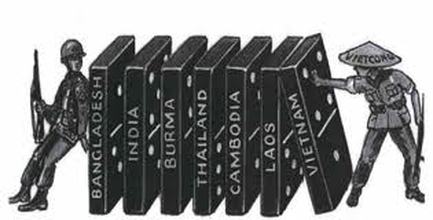
This slide talked about how the US wanted to prevent a domino effect of Asian nations falling to communism. This was the reason the US got involved in Vietnam even though it was not an official war. 

#TryToBeGoodButEndUpDoingBad - The US thought they were doing the right thing by going to Vietnam to stop the domino effect of countries falling to communism. American people didn't agree with the war and protested. In the end, the war was a failure as they weren't able to stop Vietnam from becoming communist. - Carla

#CrystalBall - When you think of a crystal ball, you think of someone trying to predict the future. The US predicted a domino effect of countries falling to communism if Vietnam became communist so they felt like they had to go in there and try to stop it. - Melanie

#BackStabbed - There was a lot of protests by Americans against the Vietnam War. The government wanted to stop the domino effect of communism, but they never got enough support from the people to win the war. In addition, many soldiers came home and were mistreated. - Luis

#TerminatorJudgementDay - In Vietnam, the US was trying to prevent a domino effect of countries in Asia falling to communism. This is similar to Terminator because they are trying to prevent Judgement Day from happening. - Salvador

#UnofficialRelationship - It's common for teenagers to want to date, but they stay in the "just talking" stage even though they act like a couple. This is similar to the Vietnam War because the war was never an official war even though American soldiers fought like they were in a real war. - Araceli

#AvatarMovie - After the natives were attacked by the humans, they went across Pandora to warn the other tribes to try and prevent a domino effect of tribes falling victim to human attack and to fight back. Vietnam War is similar because the US wanted to prevent a domino effect of Asian nations falling victim to communism. - Yuliana


Space Race
In this slide, students learned about the "one-upsmanship" between the USA and Soviet Union as they competed for technological supremacy in space.


#NoSeQuierenQuedarAtras - In English, this means that you don't want to get left out. In the Space Race, the US always felt left out as they came in 2nd place to the Soviets. The US began going the extra mile to finish first and won the race being putting a man on the moon. - Carla

#8Mile - The Space Race reminds me of the movie 8 Mile. In the movie, Eminem tries to battle, but chokes and gets booed off the stage. Even though he failed, he kept on trying and eventually got on stage and won a battle. The US, like Eminem, was losing early in the race to the Soviets. With more effort, they eventually overtook the Soviets and won by putting a man on the moon. - Jovahna

#TheTortoiseAndTheHare - The story of the Tortoise and the Hare reminds me of the Space Race because the US, like the tortoise, was losing early in the race, but eventually came back and won the race against the Soviets. - Lizbeth

#WWE - The Space Race is similar to WWE matches. The bad guy beats up the good guy most of the match. Toward the end, the good guy hits the bad guy with one or two really big moves and wins. The US was getting beat badly in the Space Race until they were able to win by getting a man on the moon. - Lupita

#MeekMillVsDrake - The Space Race reminds me of the rivalry and battles between rappers Meek Mill and Drake. These two went back and forth trying to one up each other. Most people say Drake won. In the Space Race, the US and Soviet Union tried to one up each other as they competed to see who could accomplish the most in space. - Valerie


Thursday, May 10, 2018

#AlwaysInBeta: Hashtagging the Beginning of the Cold War


When you're #AlwaysInBeta, you're constantly looking for ways to improve your craft and new ways for students to engage and connect with content. "Hashtagged Learning" has been a strategy I have slowly been developing this school year. The idea was born out of my love for The Tonight Show with Jimmy Fallon. The way he uses hashtags to get the worldwide audience to participate has always intrigued me. Enjoying that segment, I have looked for ways to adapt it to teaching.


In a nutshell, my students take notes on my pre-recorded lesson videos. Each video is 15-25 minutes long covering 5-6 slides. Each slide contains images and my hashtags. My hashtags give students a frame of reference for the patterns, themes and connections with pop culture I notice. At the end of each slide, students are required to pause, reflect and write their own hashtags with rationales. 

Just today, my students watched my lesson video on the beginning of the Cold War. Check out some of the best student generated hashtags, rationales and connections.

World War II Ends
This slide talks about the relief when WWII was over. US and allies were battered and bruised after defeating greatest threat ever encountered. They looked for ways to prevent another World War and the rise of someone like Hitler

#SchoolShootings - School shootings are a great threat just like the Nazis. After each one, like the Allies after the war, we are looking for ways to prevent it from happening again. - Angelica

#LastdayOfSchool - When WWII was over, the world was relieved. When school is out for summer, kids are relieved. After WWII, the Allies tried to learn from mistakes and become better. When school is out, we are relieved and we try to come back the next year and do better too. - Melvin


Cleaning Up The Mess
This slide is about cleaning up the mess after World War II in Europe and the Pacific. War criminals were put on trial. US tried to spread democracy as measure of creating a lasting peace.

#Karma - War criminals from Japan and Germany were finally getting what they deserved and were punished after the horrible things they did to villagers in China and to Jews in concentration camps. - Jackie

#TheFlash - In the show The Flash, a particle accelerator explodes. This is like World War II. This creates a huge mess just like the war. The explosion creates “metahumans” who terrorize Central City. The Flash has to clean up the mess by stopping them in the same way the Allies cleaned up after the war by punishing war criminals from Germany and Japan. - Michelle


Superpowers
This slide covers how the US and Soviet Union rose as superpowers post war. Soviets want greater punishment of and more reparations from Germany. Both begin to compete for influence and strength around the world.

#RedVsBlue - Red and blue gangs are always competing to see who is strongest and most powerful. After World War II, the United States and Soviet Union were doing something very similar. Like the gangs, they were always very close to having a big conflict. - Lupe

#MeanGirls - In the movie Mean Girls, Regina and Cady split as friends in similar fashion as Soviet Union and US did after WWII. Friends of Regina switch over to Cady in the same way people in East Berlin switched over to West Berlin before the Berlin Wall was put up. - Camilla


#BatmanVsSuperman - In the comic, not the movie, Batman and Superman have the same goals. The problem is, they have different ideas about how to achieve them. This similar to the struggle between the US and Soviet Union during the Cold War. - Salvador

Soviet Union
In this slide, I explain the basics of the Soviet Union's Communist economy and totalitarian government. In addition, I talk about how Stalin and Soviet Union sought to create a buffer zone in eastern Europe to prevent future attacks from Germany and or the West.

#MexicoBorder - Trump wants to make a big wall to keep illegal immigrants from coming to the US because he thinks many of them are dangerous. The Soviet Union wanted to control countries in eastern Europe to create a buffer zone, like Trump's wall, against the danger of future German or Western attacks. - Camilla


#Phone - Soviet Union was very concerned about future attacks from Germany and the West and looked to gain power and create a buffer zone to prevent it. This is similar to the way we are concerned for and protect our cell phones. We put password protection, strong cases and are always making sure we know where it is. - Araceli

#ALittlePieceOfHeaven - In an Avenged Sevenfold song, there is a guy, like the Soviet Union, who is afraid something will go wrong in his relationship. To try and prevent himself from getting hurt, he kills the girl. Like the guy in the song, The Soviet Union, creates a buffer zone to try to prevent getting hurt. - Alexa


United States
This slide talks about how the US was in a position of power and leadership post war. The war stimulated the economy and development of nuclear weapons gave the US clout. In addition, the slide talks about the USA's capitalist economy and democratic government. The US came out of war the least scathed of the Allies like a last man standing.

#OHSBand - The Orosi High School band, before Mr. Gaspar took over, in my opinion, wasn’t as good as it is today. Like the US after WWII, which became very powerful, the band became much better and beat out our biggest rivals. - Miah


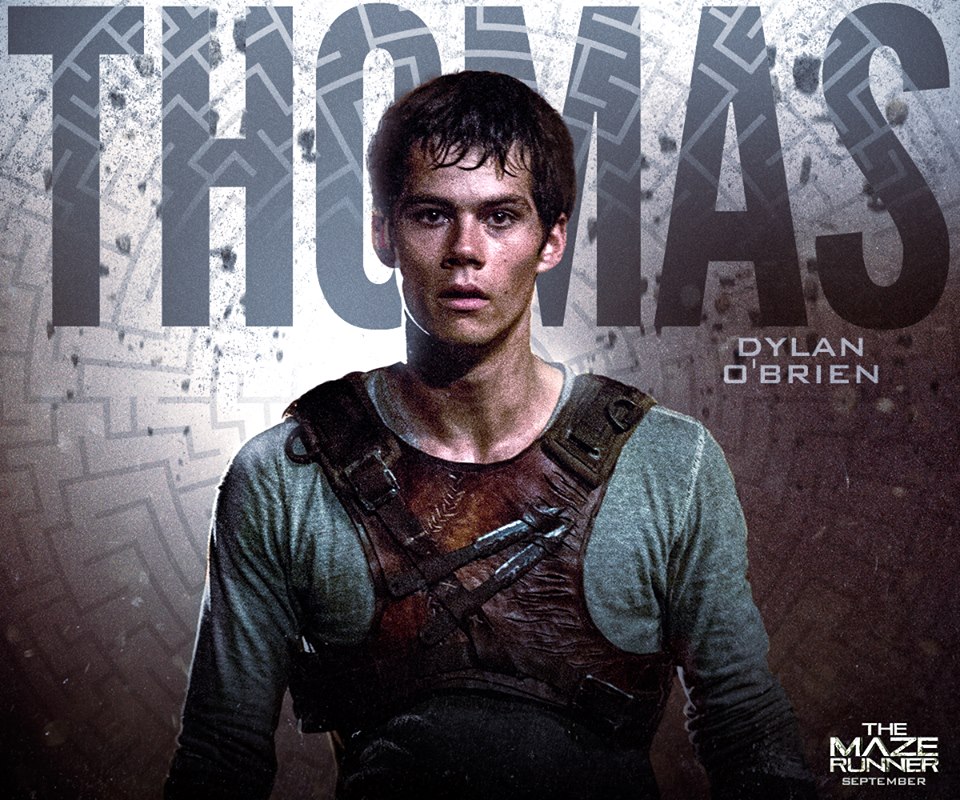
#Thomas - In The Maze Runner, Thomas saves people who were trapped for three years. Afterwards, he is looked to for leadership. The US, after winning WWII, was also looked to for leadership in rebuilding all the damage. - Angelica