Thursday, April 26, 2018

#AlwaysInBeta: A Serendipitous Appsmash of Sketchnotes, Academic Conversations and Screencasting


Two things that always seem to bring me joy are serendipity and appsmashing. It's quite a rush when, by chance, I encounter an opportunity or idea when I'm not looking for it.  I get a similar rush when I develop a new appsmash. Imagine my delight when I create or discover new appsmash without even trying. I was fortunate to have a serendipitous appsmashing moment just the other day.

Over the past month, I have been swimming in sketchnotes. Teachers have been jumping on the bandwagon of sketchnotes and submitting student work to the Cardinal Innovation Center Sketchnotes Gallery website. Recently, I was making the rounds returning scanned sketchnotes to teachers and students. It was on these rounds that an unexpected conversation arose. One of the teachers to which I was returning sketchnotes, Science teacher Dana Jobe, was absolutely over the moon with the engagement and visual thinking done by her students while sketchnoting. She couldn't stop singing their praises.

I continued on my rounds, and as I met to meet with another teacher to follow up and return sketchnotes, I bumped into Dana. She wondered aloud if there was a way we could incorporate sketchnotes with academic conversations. I stopped in my tracks. The gears in my head starting turning rapidly, and almost simultaneously, we both exclaimed a resounding "Yes!".

On the spot, we immediately began planning an academic conversation activity using the sketchnotes from the Cardinal Innovation Center Sketchnotes Gallery. They were tasked with choosing one sketchnote, but if it was one they created, they had to choose a different one. Their next steps were to write down 2-3 talking points and meet with an elbow partner.


From there, students began speaking for about two minutes explaining the topic using the symbolism and images on the screen. They were allowed to point out and refer to anything on the sketchnote.  To make sure they talked for two minutes, their elbow partner was tasked with asking for clarification and other questions. Once the speaker is done, the roles reverse.


Students took to this activity instantly largely due to the fact Mrs. Jobe wanted this to be a quick review for a test they were about to take. Mrs. Jobe knew her kids would take this more seriously with the specter of a test looming. 


Being #AlwaysInBeta, you can bet this appsmash is only going to evolve. Moving forward, Mrs. Jobe and I are planning to add screencasting into the mix.  Not only do we want students to learn from and explain each other's sketchnotes with academic conversations, we want them to record it. We want them to be able to go back and listen to their explanations and understandings in an effort to catch mistakes as well as improving fluency and articulation. A large number of the students we serve are English Learners, and this is a great to way to help them grasp some difficult science content. 

Stay tuned!

Monday, April 23, 2018

Can you sketchnote in math? Damn right you can!


One of the most common phrases of resistance to sketchnotes is "you can't sketchnote in math." Granted, sketchnotes fit ever so naturally into English Language Arts, Social Studies and Science, but this is exactly why they should be used more in math. Sketchnotes are a visual form of note taking. They are designed to make thinking visual. Math is traditionally taught in a straight forward, one-size fits all method. Reading Jo Boaler's book Mathematical Mindsets opened my eyes to beauty of math and the importance of making thinking visual. We do it the other subjects so why not math?

After months and months of trying to get into a math class to teach sketchnotes, I finally got a bite. The best part was that this teacher sought me out, not the other way around. After seeing how successful kids were sketchnoting in science, this teacher thought sketchnoting would be a great way to spiral review order of operations. 

The teacher wanted students to sketchnote the order of operations acronym G.E.M.S. (Grouping, Exponents, Multiplication/Division, Subtraction/Addition). In the demo session, the students and I brainstormed ways to symbolize each of the letters of the acronym. Some of their ideas were brilliant. A couple of students blurted out that this will help them remember and understand this so much better in the future. 


One my favorite student-generated symbols was the pirate/parrot symbol for exponents. The student above compared the base number to a pirate and the parrot to the exponent. This student, to symbolize multiplication, drew a Chromebook copying and pasting text.  For the "G" in G.E.M.S., grouping, other students compared it to dividing into teams before playing basketball at recess. Many used food examples such as pizza, pies and cake to symbolize division. 

In the end, it was a momentous day. I finally broke into a math class to teach sketchnotes. It can be done. Sketchnotes helped them personalize and take ownership of math rather than drill and kill. Students who normally dread math were engaged and empowered. 


Monday, April 16, 2018

#AlwaysInBeta: Playing to Learn and the Challenger Disaster


A few weeks after my fifth birthday, the space shuttle Challenger exploded. I remember seeing it on the news and hearing my parents and relatives talking about it. Since then, many other horrible events and disasters have occurred, but none of them are indelibly etched into my memory like this one. I've always wondered why this event in particular has stuck with me so well. About a week ago, after playing dolls with my five and six year old daughters, it hit me.


Imaginative child's play is why the Challenger disaster is tattooed in my memory. As a five year old, I vividly remember taking my toy space shuttle along with my Super Friends and He-Man figurines and developing scenarios for ways Superman and He-Man might have saved Christa McAuliffe and the crew.

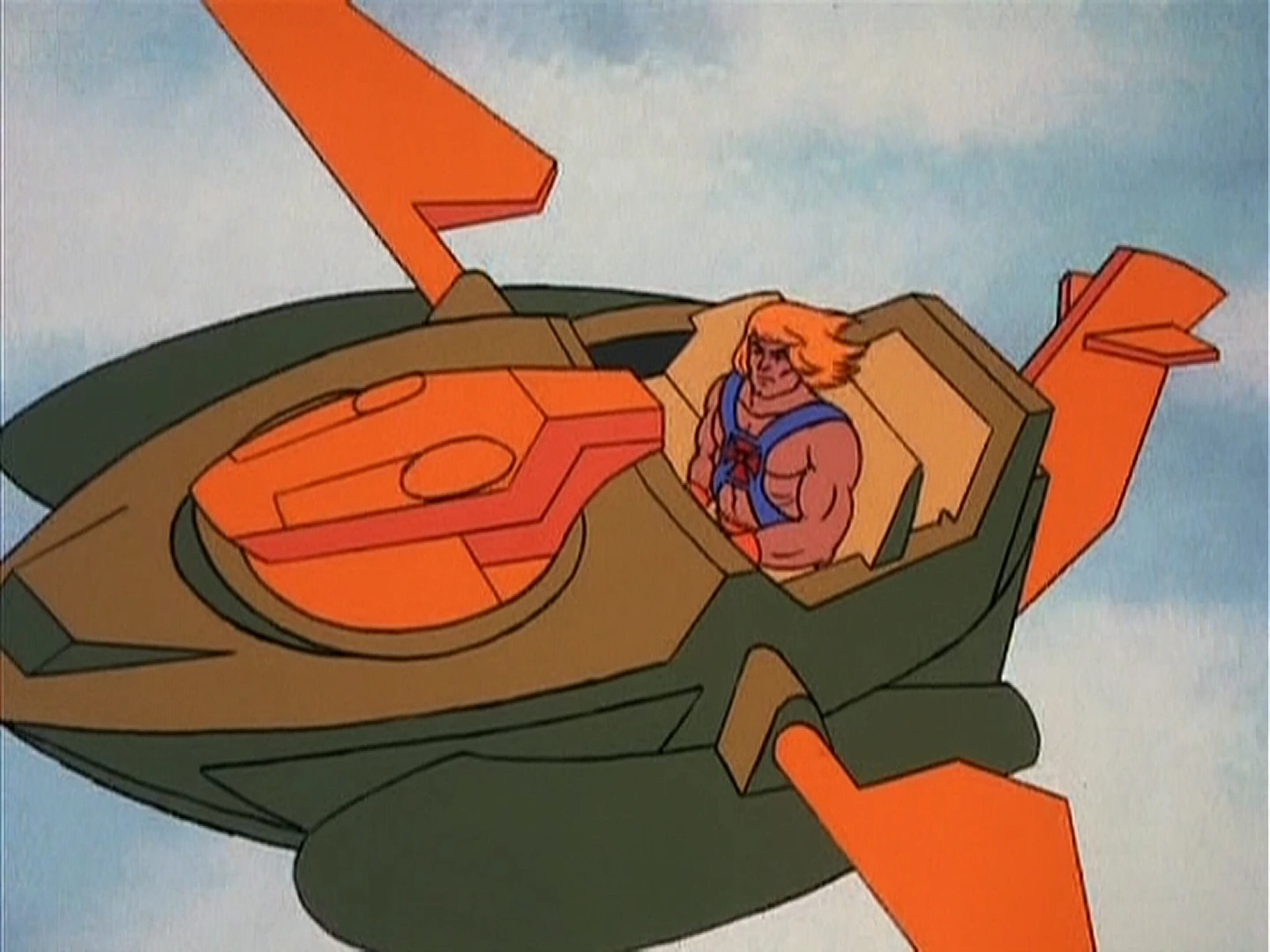
While my parents and grandparents were watching the news reports, I was on the floor playing. I imagined Superman using his breath to cool the flames and while the crew was safely brought down by Wonder Woman in the Invisible Plane.  In another scenario, He-Man flew on a Wind Raider with Teela and Man-at-Arms to save the day.   

As an educator, the power of play is definitely a strategy that is "slept on". For those of you not familiar with hip hop lingo, an album that is "slept on" is one that is amazing, but not well known or widely played. Leveraging student creativity and innovation can be done through the power of play. The reason it's "slept on" is because play, creativity and innovation are loud, messy and can appear chaotic. Teacher-centered teaching shies away from this strategy. Student-centered teaching helps students have content and skills indelibly marked in the brains and consciousness. The power of play is definitely one way to accomplish this.

I am currently in the midst of a unit on World War II. I could've gone the traditional route of lecture, notes, reading, map marking and an essay, but how will that get students to look back on this content as "fondly" as the way I remember the Challenger disaster? It won't. I decided to harness the power of play.

At first, students were skeptical and unsure of how to proceed, but as I encouraged them to play like a five year old, they ran with it. Students were to reenact Pearl Harbor, Battle of Midway, Island Hopping and Atomic Bombs. Their task is to use toy soldiers, boats, airplanes, Legos, phones, arts and crafts materials, etc. to reenact and narrate these events on video.

The students' creativity, for me, was intoxicating. I marveled at the innovative ways they chose to use the toys and materials. Some students used string to make puppets out of the planes. Others cut construction paper to form islands. Another group used Dollar Tree Halloween spider web material to create a mushroom cloud. One student found a football penalty flag and dropped it onto a Lego city to recreate the bombings of Hiroshima and Nagasaki. Some students downloaded video editing apps on their phones to add sound effects and AR. 


During this process, my learning space was filled with engagement, laughter, collaboration and most importantly, organic academic discussions. Students asked questions of each other and myself. They iterated by using my feedback on their videos to improve. Students that normally are silent and try to fall between the cracks were engaged and empowered. The whole time, I circulated the room with a grin. It felt so good to see students having fun learning. It was an edu-win hearing students groan because class was over. They couldn't wait for the next two days in class to continue "playing to learn".


Teaching the same thing, the same way is boring for both teachers and students. Dave Burgess' book Teach Like a Pirate is a treasure trove of learning hooks for students. The book discusses ways of getting students to constantly wonder what's going to happen next in class. #AlwaysInBeta is an edu-mindset where educators are constantly iterating to best meet the learning needs of students. This wasn't the first time these students have used video in this class. It was just a new way to use it. 


Thursday, April 12, 2018

#AlwaysInBeta: Cardinal Innovation Center Vision Starting to Manifest


Part of my vision for the Cardinal Innovation Center was for it to be a living resource for students to display their work and learning for future students to learn. The Sketchnotes, Memes and Booksnaps Galleries were designed to do just that.

The opportunity to be in the classroom part time, teaching two periods of history, have allowed this part of the vision to manifest. Last year, one of the first sketchnoting lessons I presented was to 11th grade US History students who were learning about the atomic bomb. The sketchnote to the right is one of five sketchnotes I collected, scanned and posted to the Sketchnotes Gallery.

This year, teaching 10th grade World History, in our World War II unit, we also cover the use the atomic bomb. My students, this year, were tasked with reading articles about survivors and facts/figures of the atomic bombs.

When it came time for them to sketchnote the atomic bomb, they were given access to the Atomic Bomb Sketchnotes page on cardinalinnovationcenter.org to see the symbols, organization and ideas on this topic created by previous students.

I didn't give them access immediately. I let them get started and when I noticed many coming to a "sketchnoting block", I had them look at last year's sketchnotes. This seemed to energize them. At the time this blog post was published, students were still working on the sketchnotes, but early returns are looking good. Stay tuned.


Another part of my vision was to give students an authentic audience to receive feedback on their work and inspire learning. If you follow me on Twitter, I am constantly tweeting images of students working or links to cardinalinnovationcenter.org showcasing their work.

I always "warn" students when I share their work to a worldwide audience. I get their permission first. The second I get a like, retweet or response to their work, I make it a point to announce it to them. I tell them their work is inspiring learning across the nation and world.  The looks in their eyes upon hearing this is priceless. The more I do this, the more visible their effort is. They ask more questions about how to improve the quality of their work. They feel empowered and emboldened knowing could be inspiring others. Little did they realize that what they are doing in the small, rural town in the "middle of nowhere" in Central California can have a larger impact.


The Galleries in the Cardinal Innovation Center are #AlwaysInBeta as new student artifacts get added each year. The way I present it one year can and will likely change the next. The one constant is sharing to an authentic audience. Share your work, that of students too, so we can learn from each others and remain #AlwaysInBeta. 

Thursday, April 5, 2018

#AlwaysInBeta: Hashtagging the Pacific Theater


Twitterizing your classroom has been a pet project of mine. An action research project I did in my Master's program got me thinking about increasing student engagement using technology. One the ideas I came up with was using the concept of Twitter and hashtags to help students make real-life to content connections. Being back in the classroom part time this school year, I have been able to put this idea to work and, as #AlwaysInBeta suggests, the idea continues to iterate.

Hashtagging Your Teaching, as I call it, follows the same basic structure each time. One could call it my own #EduProtocol. It begins with an appsmash of Google Classroom, Google Slides, YouTube and Snagit screencasting software. I create bullet-free Google Slides full of images, symbols and teacher generated hashtags. From there, I use Snagit to screencast my lesson. Lessons range from 15-25 minutes depending on the standard. In the screencast, I'm explaining and teaching the standard as I would delivering the lesson live to students. The style I employ is patterned after Keith Hughes of Hip Hughes YouTube channel fame. Once the video is complete, I upload to YouTube and distribute to students via Google Classroom. 

The lesson takes place when students watch the lesson video, with headphones, and take notes (digital or paper) at their own pace. The advantage this gives students, EL's especially, is that they can pause and rewind when they don't understand. Instead of facing the embarrassment of having to ask a question in front of class, I can circulate and come to them as needed one on one. In addition, the image and symbol heavy slides force students to "make notes" not take notes. When I say take notes, I mean copy bullets. This is huge for ELs who may struggle with the written language, but they can better engage with symbols and images as well as my verbal explanations, metaphors and hashtags in the video.


As students navigate the video, they are instructed to pause at the end of each slide, reflect and write a hashtag (with rationale) showing a real-life to content connection. This is huge for all learners because it validates their prior knowledge, life experience and interests as well as helping them see themes and patterns between content and life. Students write the hashtags and rationales in their notes as well as on my whiteboard walls. This allows me to see their thinking and give feedback if I notice the connection between hashtag and content is weak. In addition, students are instructed to "steal" a classmate's hashtag from the walls and write it in their notes. At the end of each slide, students now have three perspectives, the teacher, their own and that of a peer.


Take a look at the some of my favorite hashtags and connections made by my students during our recent lesson on World War II: The Pacific Theater. (10th Grade World History)

(Disclaimer: I took the liberty of clarifying some of their rationales after speaking with students.)

Pearl Harbor - #CharlotteFlair - Ric Flair and his daughter Charlotte Flair acted sneaky, like Japan attacking Pearl Harbor, when they sneak attacked Charlotte's opponent Paige on Monday Night Raw on May 9, 2016. (This student is a huge fan of WWE and frequently connects it to content.)


Japan vs. USA - #DanceMoms - The girls in Dance Moms are similar to Japan. They start taking other opportunities even though, Dance Moms character Abby tells them not to. Japan was brutally building an empire in Asia even though their actions were denounced by the USA. (This student is a fan of reality TV shows and frequently makes connections to content.)


America Strikes Back - #PredatorVision - When the US cracked Japanese code, it was like they could see the enemy with the same advantage the Predator has when it hunts humans. (This student is fan of sci-fi movies and usually makes similar connections to content.)


America's Strategy - #MaxPayne - In the Max Payne video game, Max has some choices that are very difficult and he has to choose which one is the lesser of two evils. This is similar to the options the US had when deciding to invade Japan or drop the bomb. (This student frequently connects content to his favorite video games.)

Japanese Brutality - #TerminusAndNegan - Seeing the brutality shown to Japanese prisoners of war, after learning about the Bataan Death March, in the Walking Dead, both the Terminus cannibals and Negan's Saviors showed similar brutality towards prisoners or conquered people. (This student is a huge fan of The Walking Dead and usually makes connections from the show to content.)

The question remains. What do you do with all the hashtags. Other than getting students to begin to think critically to look for themes, similarities and patterns among their interests and content, the hashtags can be used to jumpstart engaging activities such as Booksnaps, Sketchnotes, Student-Generated Lesson Videos, simulations, blogging and more! 

I have been hashtagging my teaching all school year and the current iteration was built upon previous iterations. It will continue to evolve like any strategy I employ because my teaching is #AlwaysInBeta. 


Thursday, March 22, 2018

#AlwaysInBeta: Booksnaps, Google Slides and Bitmoji


If you happened to be at CUE last week, you would have been able to see the queen and inventor of Booksnaps, Tara Martin, demonstrate how to do Booksnaps in Google Slides. Booksnaps, originally was done exclusively with Snapchat. But many innovative educators, who are #AlwaysInBeta,  "hacked" Booksnaps by devising ways to booksnap with Google Drawings & Slides, Seesaw and more. 


For those of you unfamiliar with Booksnaps, they are not just some flashy gimmick. Booksnaps allow students to mark the text with Snapchat or Snapchat "features". There is brain research behind it. Booksnaps help students with retention, comprehension and engagement while marking the text. In a nutshell, Booksnaps combines something students often dislike, reading, with something they love, Snapchat. On a personal note, I now take much longer to read because I find so many points I want to booksnap.

One of the coolest features of Snapchat is the integration of Bitmoji. Bitmoji is a fun little app that allows you to "cartoonify" yourself. Within Snapchat, you can insert your Bitmoji "cartoonified" self into your images. The question remains, how does this work with Booksnaps?

If you have students using Snapchat to do Booksnaps, they are already experts. They simply take pictures of text, mark it Snapchat's annotation tool and add stickers and Bitmojis. But what if cellphones are banned at your site and or students do not have Snapchat. Never fear, Google Slides (Drawings too) is here!


Many Snapchat features can be emulated with Google Slides (Drawings too). For images of text, you can use the webcam to take the picture or you can insert a screenshot of digital text. Once you have the image of text, use Slides' line tool and scribble function to "annotate" and circle the part of the text that resounded with you. From there, draw a text box across the width of the image to write your claim or opinion. The final step is to find png stickers and emojis from the internet to paste onto the slide to support the text you circled and statement or opinion. 


Now where does Bitmoji fit in with the Google Slides version of Booksnaps? It lies in the Bitmoji Chrome extension. It is free on the Chrome Web Store. You may need to talk to your Google Domain Super Admin to push the extension to student accounts. Once pushed to their accounts and browsers, students click on the extension, a drop down menu of Bitmoji appears and they simply copy and paste the appropriate Bitmoji to their slides. 

One hiccup you may encounter is your network's filter. The easiest way for students to login to Bitmoji is via Snapchat. If Snapchat is blocked, ask IT to briefly allow so kids can get signed in to use Bitmoji. Where I work, IT allows teachers to use a special login and password to temporarily bypass the network filter for situations like this.

Here is what it looks like when kids use Google Slides and Bitmoji (Chrome Extension ) to do Booksnaps.


Above you see this student choosing a Bitmoji from the dropdown on the Chrome extension. From there, this student copied and pasted to her Booksnaps on Google Slides.

I am sure there will be new ways to improve the Booksnaps process. Keep your eyes and ears open to the next innovation. Doing this helps us to stay #AlwaysInBeta.


Thursday, January 25, 2018

Cardinal Innovation Center Today: Trimming the Fat


When I walked into Google Headquarters in Sydney for the Google Certified Innovator Academy, I entered with a project that was practically up and running. So I thought. The digital part of my project had been up for about six months and continues to evolve. The physical part was established, but has evolved dramatically since. 

As I reflect back on the experience, the Design Thinking process as well as the feedback from my cohort mates have been the best thing for my project. Multiple people told me they loved my project, but they felt it was too much. Their concerns were about management. One person likened it to juggling a dozen flaming chainsaws. At first, my ego was bruised. My project has many layers. I often refer to it as an onion on steroids. Their feedback wasn't meant to bruise my ego, but it made me realize the sheer vastness of the project would not be feasible. 

The competitor in me believed I could pull it off. I mean, it should be no problem supporting two schools, curating galleries of Memes, Sketchnotes & Booksnaps as well as facilitating a student tech/social media squad. There should be plenty of hours in the day, right? Let's not mention the fact I have three young daughters at home. 

The Design Thinking process taught me to break my project down into small bits. This was hugely eye opening. I made me realize the feedback was on point. It was time to check my ego at the door and begin to trim the fat. 

After the rush of the Cohort wore off, reality set in. As I got back to work, it became abundantly clear I needed to trim the fat quickly. I reflected deeply and determined parts of the project such as the Fundraising page, the dangerous movable stage, the various genre pages in the YouTuber Crew & Blogger Cafe were all surplus to requirements. They were all cool ideas, but more style than substance. 

As the semester wore on, I dismantled half of the Teacher Portal. An entire page dedicated simply to advertising my services was deleted. The Teacher Portal now is one page with a schedule, lesson design templates and a booking system.

The Booksnaps Gallery was definitely the most problematic. This required an ungodly amount of management. If I was creating it just for the students in my classroom, it would be no problem, but since I support two school sites, it was a nightmare. Originally, I used a Google Form for students to submit their Booksnaps, but as time wore on, I realized I was getting hundreds of submissions a day. My initial idea was to train the student tech squad to handle it, but that was another headache. Upon reflection, the teachers with whom I trained to implement the use of Booksnaps would curate for me and send me 5-7 exemplars to be displayed in the gallery. I applied the same wisdom to the Sketchnotes gallery and will do the same when the Memes gallery gets underway. 

Long story short, checking my ego and the door was the best diet plan for the Cardinal Innovation Center. The digital version is streamlined and more user friendly. Some innovative, industrial shelving created a safer physical environment. Students and teachers alike are taking more advantage of the Center and services provided. Business is picking up and it is my hope to have this Innovation Project officially up and running by June. Until then, follow the progress at cardinalinnovationcenter.org.


Thursday, December 14, 2017

Cardinal Innovation Center Today: Forrest Gump, Math Blogs and a Green Screen


Last week, the Cardinal Innovation Center continued to buzz with activity. For the 'ol Tech Coach, this is a dream come true. To my surprise, I was able to make some inroads with a teacher who has been known to be tech resistant. But as Katherine Goyette and I say in our coaching session on tech resistant teachers, you have to find an "in." For this teacher, the "in" was Math Blogs.

This teacher was looking for a new way to get her students motivated to study for their Advanced Math final. With our district putting an huge emphasis on writing across all disciplines, Math Blogs are able to kill two birds with one stone. 


A Math Blog is simple. Students start a blog with Blogger. From there, they work out groups of math problems one at a time. They use the webcam to take a picture of their work and insert it into the blogpost. Below the picture, they must write a rationale and or explain how they solved the problem in as much detail and in as many ways as possible. The teacher creates a hyperdoc with each student's name linked to their blog URL. This makes it easy for the teacher to evaluate student work and see student thinking.


With my world history classes, students, as part of their World War I unit, were given the option to write a Forrest Gump blog. What is a Forrest Gump blog? It is simply creating a fictional character and inserting them into historical events a la Forrest Gump. 

It is a chance for students to be creative and engage in writing some historical fiction. Wonder Woman's actions during World War I and Captain America in World War II other examples. Students were given a list of 8 events during World War I and tasked with writing blogposts for each event showing how their character was involved. 


Students who didn't choose the Forrest Gump blog option could have chosen to do the Green Screen Live News Report. They were given a list of 6 events from World War I and used the green screen to conduct "live" news reports on scene. Some pretended to interview "eye witnesses" while others used costumes and props to enhance their reporting skills.