Tuesday, October 17, 2017

Cardinal Innovation Center Today: #360History, Napoleon and Hashtags


Watching my good friend Ed Campos (@edcamposjr) implement 360 Math immediately made me want to synthesize and adapt it to History. Now that I'm back teaching part time, I have that opportunity. The whiteboard walls of the Cardinal Innovation Center make teaching 360 History very easy. From 360 Math, I gleaned the importance of making thinking visual and looking for patterns and connections. This thinking and search for patterns/connections fits right in with my ideas for using hashtags in history class.

Today marked our first look at Napoleonic France. I pre-recorded the lesson which was a 15 minute survey of Napoleon's time as ruler. Students watched the lesson video on Chromebooks with headphones. They were given three options for note taking. They could take Cornell Notes in their notebooks, type notes in Google Docs or Keep, or write notes on desk and take pictures to be stored in Google Drive.


At first glance, this activity appears to be very student-centered, but with no interaction with the teacher. Oh contraire. In the beginning of the lesson video, first slide, I wrote a jumbled list of hashtags that are applicable to each slide. I gave brief description of each. Students were required, after each slide, to pause and reflect on the notes they took. In their reflection, they needed to determine and write down in notes which of my hashtags best fits the notes for that slide.

Once they connected my hashtags to their notes, they were required to generate their own hashtag that connects the content to their real life experience. They were to write their hashtags in their notes as well as on the whiteboard walls. There were seven slides in the lesson video and they were required to write a hashtag in notes and on wall for each. Once they wrote mine and their hashtags in their notes, they had to look around the room and "steal" a hashtag from someone else to put in their notes. At the end of each slide, they had at least three hashtags. One from me, their own and from a peer.

Kai's Hashtags are movie references

As they are writing their hashtags on the walls, I am circulating and constantly asking questions. I ask them to explain to me what the connection is. If they can give me a valid explanation, it counts. Some students checked with me first before writing on the wall. Long story short, I was able to give instant feedback in a variety of ways.

Many students, at first, struggled generating hashtags. Seeing their struggle, I had everyone pause and I told the class to think of movies, TV and music. I told them to find connections from the content to those things. Almost immediately, the wheels started turning and the creative juices were flowing. The walls quickly began to fill up with hashtags.

Going forward, students will take a look at their notes and be required to reflect. They will look at the hashtags written in their notes and highlight the parts of their notes that correspond to the hashtags. They will use their notes and reflection to begin their next learning demonstration. Their next learning demonstration will give them the option of screencasting a presentation discussing pros and cons of Napoleon, creating a website for Napoleonic government or making a meme slideshow (with rationale) of the major events of Napoleonic France.


Thursday, October 12, 2017

Cardinal Innovation Center: #FailForward with "Teched Up" DBQ and DocHub Update


I have dreamt of a "teched up" DBQ for years and over the past two days I have begun to implement it. My first iteration of a "teched up" DBQ uses an appsmash of Google Classroom (to distribute), Google Forms (to collect responses) and DocHub (to mark text and analyze documents). After a few hiccups, students began to embrace the process. Although a few pined for a paper packet, the vast majority dove right in with vigor.


One of the hiccups we encountered was due to a new update to DocHub. Over the years, I have been a big cheerleader for DocHub. I have always wished for better integration with Google Classroom. Well my wish came true. They changed the menu options from one menu to three. One of the menus allows you to attach your marked PDF file straight to an assignment in Google Classroom. SCORE! Instead of saving to Drive and then adding to the assignment to turn in, students can submit marked text/PDF directly.

An update that caught us off guard was that DocHub does not seem to auto save your edits anymore. One student logged out to go to restroom and when they logged back in and tried to reopen with DocHub, all edits were gone. It appears students, who want to finish later or can't finish in one sitting, will have to save to Drive to keep their edits and reopen it from Drive later to continue where they left off. Oh well, we're just going to have to #failforward on that. This also means I am going to have to create some new "how-to" screencasts on the ins and outs of DocHub.

Going forward, my next iteration of the "teched up" DBQ will involve a hyperdoc. A member of my PLN from Texas tweeted me asking about making a hyperdoc to show her how to tech up DBQs. It dawned on me that a hyperdoc may be just what I need to streamline this process. At this point, it's a bit convoluted. I posted two Forms as announcements in Google Classroom for students to submit answers. One of Forms contained a link to the primary source document to be analyzed as well as text marking suggestions. Looking back, putting all of these steps, resources and instructions in one organized hyperdoc distributed via Google Classroom may just be the ticket.

Stay tuned!


Wednesday, October 11, 2017

Cardinal Innovation Center Today: "Teching Up" the DBQ and Podcasting


On two occasions in the last six months or so, I have had the privilege of being a guest on podcasts produced by fellow Google Certified Innovators Nancy Minicozzi (@coffenancy)  and Tom Mullaney (@tomemullaney). In both of my guest appearances, I took time to talk about "teching up" the DBQ.

TLC Ninja - Episode 23


For those of you not familiar with DBQ, it stands for Document Based Questions. In a history class, it gives students primary and secondary source documents to analyze and questions that require text/document based evidence to answer. I first started using DBQs years ago and it pained me to spend hours making 10-12 page packets at the copy machine. I hated wasting so much time with all this paper that will eventually end in the trash. Students would see the packets and let out a collective groan.

Don't get me wrong, I love the DBQs and the historical thinking they foster. But at the same time, I have sought ways to make it more engaging for students and efficient for teachers. The first step in "teching up" the DBQ was to convert the packets to PDF form. This allows teachers to avoid the copier and distribute electronically via Google Classroom. Students can now mark the text digitally using DocHub.

A snag I ran into was how students will answer the questions. If students typed answers using DocHub, I really wasn't changing the DBQ much. It wouldn't be much different than reading those answers in stacks of papers. I decided to make the text marking a credit/no credit task. I wanted the text marking to be a resource for students when attempting to answer the analysis questions. Instead of having them type their answers on the documents, I put the questions on Google Forms. This allowed me to have a one-stop shop for reviewing student answers and allowed me to add links and videos to supplement and enhance the DBQs. Not only could they refer to their text marking, students had teacher curated resources simply a click away.

Another issue with the DBQ as a whole is incorporating checking for understanding and teacher-to-student feedback. Since I'm "teching up" the DBQ, Google Hangouts was a natural choice. Students receive participation points for asking a certain amount of questions while they mark text and analyze documents. As I circulate the room, I can look over shoulders to see work and instant message students CFU. On the flip side, students can instant message me their questions.

Long story short, like anything I do, "teching up" the DBQ "always in beta." This is merely the first iteration. Students don't let out the collective groan when we do the DBQ. The empowering and engaging effect of technology hooks students in and makes both teacher and student more efficient.

Tuesday, October 10, 2017

Cardinal Innovation Center Today: Bump and Run Lesson Planning, 360 Video and an Art Teacher


Any football fans out there? If so, you may have heard the term bump and run coverage. To the layman, its a strategy used by defensive backs to cover wide receivers. Bump and run lesson planning is somewhat similar. This occurs when you bump into a colleague in the hall and strike up a conversation about a cool idea you have for a lesson in their class.


I was very fortunate to have some bump and run lesson planning today. Walking out of another meeting with the leadership team, I bumped into one of our art teachers. Earlier this year, we collaborated on a method to use Google Hangouts and Chromebooks to help students see her demonstrations better in a large classroom. When we bumped into each other today, her first question was a technical question about how to bypass the firewall so she can access certain art websites that are blocked. Needless to say, I hooked her up with a hack.

Powerbeast 360 Camera 
Before she could leave, I showed her my new 360 Camera. I asked her what issues she still has with students being able to see her modeling and demonstrations. As expected, she talked about videos how flipped lessons via Hangouts only shows two dimensional views. I showed her a few 360 videos using one of the Cardinal Innovation Center VR headsets and she was immediately hooked. She immediately saw the potential for having her kids watch 360 video demonstrations of her modeling to give them a perspective like never before. One of her first reactions was the increase in engagement students will have when they put on the headsets.

Our first planning and recording session is this Thursday. Stay tuned!


Sunday, October 8, 2017

Cardinal Innovation Center Today: Hoco 2017, Social Media Posse and the Jerry Huerta Show


The Cardinal Innovation Center Social Media Posse is one of the Center's layers that has been slow to develop. The current generation of students are very adept at social media, but are apprehensive about using social media for anything school related.  Jason Markey (@jasonmmarkey) preaches the virtues building a positive school culture through the power of social media. George Couros (@gcouros) talks of developing a school's positive digital footprint. If a school doesn't take control of it's social media presence, an angry parent might

Couros and Markey's messages fuel the mission of the Social Media Posse. The Posse's mission is to empower students to take control of the school's social media presence and footprint. Doing this will help build a positive school culture.

During the first two home football games, 11th grader David Magana (@dmagana559) has taken it upon himself to live tweet the game action. Each week, David has improved. In week 1, he managed a half dozen tweets, but in week 2, he tripled it. Each week, his ability to capture the action in 140 characters improved.

Photo Credit: David Magana
This last Friday was the Orosi High School 2017 Homecoming. The Social Media Posse took the next step and added Instagram to its repertoire. David, for the night, took control of the school Instagram account while I manned the Twitter account from the press box. David patrolled the sidelines snapping action shots and posting quick videos using the hashtag #CardsCare.

The Cardinals romped to a 58-28 homecoming night victory over league rival Farmersville. Star running back Jeremiah Huerta exploded for 384 yards and 8 touchdowns. His exploits and those of the rest of the Cardinals' football team can be found on the Cardinal Innovation Center Social Media Center website. Local news outlet The Fresno Bee took notice, via Twitter, and named Jeremiah "Bee Star of the Night" for his record setting performance. Click here to read the Fresno Bee's feature on the Cardinal's Star Running Back.


Friday, October 6, 2017

Cardinal Innovation Center Today: The Williams Sisters, PE, Screencasting and Voice Over


The Cardinal Innovation Center welcomed it's first PE lesson today. PE teacher Sara Vega brought in her freshmen PE students who have been learning the ins and outs of tennis. After a week learning the rules and basic techniques, it was time for students to demonstrate their understanding of the game.

A week ago, Ms. Vega and I planned a learning demonstration where students would provide commentary on a tennis match by calling out all aspects of the match in real time. To accomplish this, students were paired and given Chromebooks. A Google Doc with a list of tennis terms and links to a video of a Williams sisters match on YouTube were distributed via Google Classroom. Students either wrote a cheat sheet of terms or split their screen with Dualless Chrome Extension to have the terms available for reference.


After watching the video, when they were ready, they muted the sound and used the Screencastify Chrome Extension to screencast. As the tennis video played muted, the students called out the different aspects of tennis they recently learned in real time. Some students did it in one take while others did multiple takes. When finished, they shared their videos with Ms. Vega. Ms. Vega and I will evaluate the videos and put exemplars on a YouTube playlist to share with other classes.

Students seemed to enjoy and really engage with this activity. Ms. Vega is planning to do a similar activity with each new game/sport they learn. An activity we discussed for future classes include using 360 video to record sport specific skills for students to view in a VR headset.

Tuesday, September 26, 2017

Cardinal Innovation Center Today: Jimmy Fallon, Hashtags, Home Alone, Nicki Minaj and Revolution


Twitterizing the classroom is a passion of mine. This past weekend, I had the privilege to present this idea, and others, to some great Bay Area educators at the Krause Center for Innovation. Click here to access my resources. One of the first steps towards twitterization of your classroom is to teach students the power of the hashtag. I like to use hashtags as a method of helping students make connections between content and personal life. I always show students a hashtag skit from The Tonight Show with Jimmy Fallon to set the tone.


The first example I use has to do with the Civil War and Nicki Minaj. A few years ago, I taught a mini lesson on the Union's Civil War battle strategy. It was creatively called the Anaconda Plan. In a nutshell, the Union, like an anaconda would surround it's prey, the Confederacy, and slowly close in. The strategy was to suffocate the Confederacy and cut them off from help until they "tapped out" and gave up.

After teaching that mini lesson, 5-7 minutes in length, I had the students "hashtag it."  Their job was to think of things in their lives or pop culture that were similar to the "boring history" they just learned. I instructed them that as long as they can explain the connection, it counts. During the lesson, a group of boys were giggling the whole time. I didn't get mad because I knew they had made a connection and could wait to share. When it came time to share the hashtags, they went first.

Their first hashtag was #MrFesperman. Mr. Fesperman was their 7th grade biology teacher. They explained that it was in his class when they first learned about anacondas. Their second hashtag was #UFC. They explained that they were fans of the Ultimate Fighting Championship and the Anaconda Plan was designed to make the enemy tap out just like in a UFC fight. Their third and, at the time, most bizarre hashtag was #NickiMinaj. Their explanation consisted of them singing Nicki Minaj's song Anaconda.


It was the Nicki Minaj hashtag that stuck seemed to be the most powerful. When it came time to review, I used the Nicki Minaj hashtag to create the meme above. I flashed it on the screen and within seconds, every student remembered the Anaconda Plan and how it worked
. From that point on, I decided student hashtags would become fodder for student-generated memes. They would create the memes, not the teacher. Engagement and empowerment skyrocketed. Students "competed" to see who could come up with the most clever connections in their hashtags and memes.

Now that I am back in the classroom, at least part time, I am resurrecting the hashtags and memes. Today was my maiden voyage back with this strategy. Our lesson today was about the American Revolution. A story I told was about the Battle of Trenton and Washington crossing the Delaware River to attack the Hessian mercenaries who had been drinking all night Christmas Eve. I explained how the Continental Army needed to be creative and smart in fighting the British. They couldn't use conventional methods if they were to stand a chance. Washington's plan to sneak attack the Hessians after a night of drinking was a creative strategy.

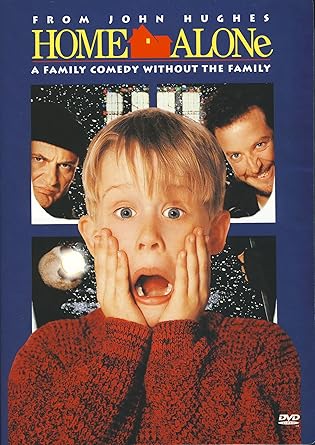
A young lady in my class wrote the hashtag #HomeAlone. She explained that in the movie Home Alone, the main character had to defend his home very creatively on Christmas Eve. Another student used the hashtag #pizza. He explained that the American Revolution caused a domino effect of revolutions across the world. This made him think of Domino's Pizza. I plan to begin tomorrow's lesson with a review of today and I have a few memes in the making with Home Alone and Domino's Pizza for them. I am curious to see how well they remember. Stay tuned.


Monday, September 25, 2017

Cardinal Innovation Center Today: #360History, Twisted Sister, ECW, Crazy 8's and Revolution


I have the privilege of teaching two World History courses in addition to my Tech Coaching duties. This allows me to implement on my own and better model the many new innovative strategies I have learned on my tech coaching journey. One of these strategies is building context with YouTube. 

Our new lesson covers Revolutions of the 18th century. The lesson includes the American Revolution and how it influenced Revolutions around the world, France in particular. A large segment of my students are English learners or they are reading far below grade level. I cannot assume students know what Revolution means.

Borrowing a design thinking strategy I picked up in the Google Certified Innovator Academy, I have students begin thinking about what they think they know using Crazy 8's (Thanks Les McBeth). Students find a space on the whiteboard walls and drew a grid with 8 empty boxes. When I started the timer, each student drew a visual that comes to mind when they think of Revolution. Every 30 seconds they move to a new box on the grid and draw another visual. They repeat this process until all 8 boxes are filled. 

Upon finishing the Crazy 8s, students did a gallery walk looking at everyone's Crazy 8's. They were tasked to draw a question mark on visuals they did not understand. After making one full rotation around the room, I made note of the visuals that had the most amount of question marks. I called upon those students to explain their visuals to help the class better understand their thinking. 


The next step was for students to write a definition, in their own words, above their grid. They returned to their seats, and on one of the Cardinal Innovation Center's 70 in TVs, we watched a series of videos from YouTube that I identified as examples of Revolution. The first video was a clip from WWE Monday Night Raw when ECW stars invaded and attacked WWE stars and started an extreme Revolution in wrestling. Next, students watched clips of Caesar the Ape leading an ape revolt in the movie Planet of the Apes. The final video was a music video from the band Twisted Sister, "We're Not Going To Take It."


After some reflection upon the videos, students went back to their definitions and erased them. They wrote revised definitions of Revolution based on their reflections, discussion and examples from YouTube.  A new gallery walk ensued and students looked at all the definitions. They returned to their small groups and were given a task. The task is to come up with a group definition and then act out a 45-60 second skit, on video, demonstrating their understanding of Revolution. 

The thinking behind this lesson is to give students a more solid understanding of Revolution before delving deep into the American and French Revolutions. I am excited to see student definitions and videos. Stay tuned.

Friday, September 22, 2017

Cardinal Innovation Center Today: The Tech Squad Rises


It is an exciting time in the Cardinal Innovation Center. One of the many layers of the Cardinal Innovation Center is the student-led Cardinal Tech Squad. The Tech Squad is designed to empower students to provided peer-to-peer, student-to-teacher, and student-to-parent technology assistance. In addition, the Tech Squad provides tech assistance to organizations as well. On our upcoming report card night, they will man a booth to meet with parents to get them signed up with Gmail to be part of the parent email list as well as add parent addresses to the Guardians function of Google Classroom.


Recently, an exciting opportunity came for the Cardinal Tech Squad. The Assistance Service Dog Education Center (ASDEC) from nearby Woodlake, CA is in need of a website overhaul. ASDEC raises and trains golden retrieve puppies to aid those in need of assistance. They train the dogs for vision & hearing impaired, PTSD and more.

My recent visit with the new litter

The Tech Squad met for the first time today to gather information and start building ASDEC a new website with the new Google Sites. They will be adding recorded interviews from ASDEC volunteers and will create profiles for each of the dogs. The profiles will include a picture of the dog, their name and the special skills in which the dog is being trained.

The Tech Squad will work the Cardinal YouTuber Crew to curate videos of ASDEC training sessions and testimonies. In addition, they will collaborate with the Cardinal Social Media posse to manage ASDEC social media. Links to the social media accounts will be featured on the website. The Cardinal Blogger Cafe will soon start a blog for ASDEC and the Tech Squad will add the blog to the ASDEC website.

ASDEC is in desperate need of donations. The owner, Gerald Whitaker is getting ready to retire, but is struggling to pay the bills. It is not cheap to feed and raise the three dozen or so dogs kept on site. If you can help in any way, please contact ASDEC via phone at 559-564-7297.


Thursday, September 21, 2017

Cardinal Innovation Center Today: Create Content Not Consume


The vision behind the Cardinal Innovation Center is to get students to create content, not consume it. Creating content can be messy and feel chaotic, but when student creations are born, it is very satisfying. My role this year has shifted a bit. In addition, to my tech coaching duties, I also teach two periods of World History. This allows me to really put a lot of the innovative strategies I have learned into play. This helps me model much better for teachers.

We recently started a lesson on the Enlightenment. Before jumping into the content, I wanted students to have a firm grasp on the spirit of Enlightenment. I knew most had no clue what it means. To help build context, I first had them guess. As expected, most were not even close. I then showed them some YouTube clips that I feel are good examples of Enlightenment. One was from the Matrix when Neo chooses the pill. The other was a clip from Straight Outta Compton when Ice Cube figures out the truth about the unfair deals between Jerry Heller and Eazy E.

After the clips, I had students guess again on the meaning of Enlightenment. Their guesses were much closer now. I shared the actual definition with them and had them reflect on how close their guesses were. Some laughed about how far they still were while others were slightly disappointed about how close they came. Long story short, the term Enlightenment was no longer this monolithic, abstract term. Building context with YouTube demystified the term. They were no longer intimidated by it.

Now demystified, I challenged students to choose how to demonstrate their learning and understanding of Enlightenment. They could, for a passing score, find their own YouTube clip they feel is an example of Enlightenment and write 1-2 paragraphs explaining why. To get an A/B score, they could either write their fictional story that is an example of Enlightenment or record a 1-2 minute skit.

My absolute favorite student submission was an actual personal story from a female student. The crux of her story is centered around the traditional male and female roles in Hispanic culture. She was always taught that the women are homemakers and the men make the money and work. An event happened in her life where those roles switched between her mom and dad. At first she was unsettled, but over time she realized there was nothing wrong with this paradigm shift. She felt empowered by it.

As we went deeper into the lesson, she quickly identified with the philosophies of Mary Wollstonecraft. I am rather confident this student will comprehend the Enlightenment much better that if I had gone the traditional consumption route of answering questions at the end of the chapter. On that note, no textbooks were harmed.....errrr.....I mean used in this lesson.

My students created content. They didn't not merely consume it. Real life connections to content were made and learning became authentic.


Wednesday, September 13, 2017

Cardinal Innovation Center Today: #360History, Google Hangouts and The World's Most Dangerous Thinkers


Teaching two sections of World History has given me the opportunity to implement many of the innovative ideas and pedagogy I have learned on my three year journey as a tech integration coach. The fact I get to teach in the Cardinal Innovation Center makes it even more special.

Lately I have have been dabbling in elements in blended learning. Students have been accessing content through pre-recorded lecture videos of me teaching a lesson. At first, the students liked being able to go through a lecture at their own pace, but some still craved the interaction with a "live" teacher.  To address this, I took advantage of the Cardinal Innovation Center's whiteboard walls. These walls were donated through the "World's Most Dangerous EDU Non-Profit" known as Classrooms with Attitude (C.W.A.). C.W.A. is the brainchild of my friend, colleague and #CUETangClan brother Ed Campos (@edcamposjr).

Ed champions #360Math. Being a history teacher, I am attempting to adapt #360Math to history and create #360History. Since my students were craving interaction with a "live" teacher, I decided to use the whiteboard walls in a #360Math manner. Students were instructed to watch the lecture video as usual, but as they came up with questions for their notes, they would have to write their questions on the whiteboard walls. Once they wrote their questions, I could stand in middle of room, rotate 360 degrees, see all questions and immediately respond one-on-one. In addition, I added a stipulation that they had ask at least one question using Google Hangouts. This way students who wanted interaction with a "live" teacher and those who enjoy the self-paced, virtual method feel their needs are being met.


I piloted these strategies in a lesson on the Enlightenment. I compared 8 Enlightenment thinkers to N.W.A.  N.W.A was known as the "World's Most Dangerous Group" largely in part to their, at the time, controversial ideas. These ideas challenged the status quo and those of the establishment. Enlightenment thinkers had a similar effect.


As students went through the lesson video, common questions written on whiteboard walls and via Google Hangouts had to do with clarification on the connection between Enlightenment thinkers and N.W.A. Students were engaged by the N.W.A. connection, but required more clarification on the connection to the content. The whiteboards and Hangouts gave me quick, easy insight into what students needed. In addition, they earned participation points for writing on whiteboards and texting via Hangouts.

Long story short, this can all be summed up by highlighting the importance of prompt feedback and checking for understanding. Whiteboards and Hangouts allowed options for students to communicate with the teacher and gave, me, the teacher instant data from which I could provide feedback.

On that note, I would love to hear some feedback and thoughts.

Monday, September 11, 2017

Cardinal Innovation Center Today: Social Media Posse Live Tweets 1st Football Game


At the Sydney Google Certified Innovator Academy, the best feedback I received was to scale down my project. I was advised by coaches and cohort members to focus only on a few of the many layers of this project to start. One of layers I decided to focus on was the Cardinal Innovation Center Social Media Posse. The purpose of this layer is to empower students to build a positive school culture with social media. 

The soul of the Cardinal Innovation Center is to empower students. I chose to focus on this layer because it is one of the most student-driven layers in the project. Most other layers require much of my own time and effort. To get this layer up and running, I recruited an 11th grader, David, whom I have had the pleasure of knowing since he was in the 1st grade. David (@dmagana559) stepped up to the plate and spent a few hours with me learning to live tweet a football game. That is American Football for my foreign friends.

On September 8, 2017, I gave David access to the school's Twitter account (@orosihs) and gave him free reign to live tweet the game versus Granite Hills High School. 


For being a first time live tweeter covering a sporting event, David did quite well. Using a growth mindset, David knows he can and will improve. To see a record of David's maiden voyage with the Cardinal Social Media Posse, click here to access the tweets via Storify.

For more on the Cardinal Innovation Center Social Media posse, please follow David (@dmagana559), Orosi High School (@orosihs) and myself (@techcoachjuarez) on Twitter.


Friday, September 8, 2017

Cardinal Innovation Center Today: 9/8/2017


It is a momentous occasion in the Cardinal Innovation Center. For the 2017-2018 school year, the first sketchnotes have been uploaded and posted to the OHS Sketchnotes Gallery. These sketchnotes came from my 10th Grade World History students. They sketchnoted their learning and understanding of Absolute Monarchy in England.

At this point in the year, only three sketchnotes were worthy of being posted to the website. But my students have a growth mindset and we are confident the quantity of quality of the sketchnotes are bound to increase in the near future.
Take a look below at the first three sketchnotes posted this school year.


Jackie


Asly


Angelica

View more of my project at cardinalinnovationcenter.org.